
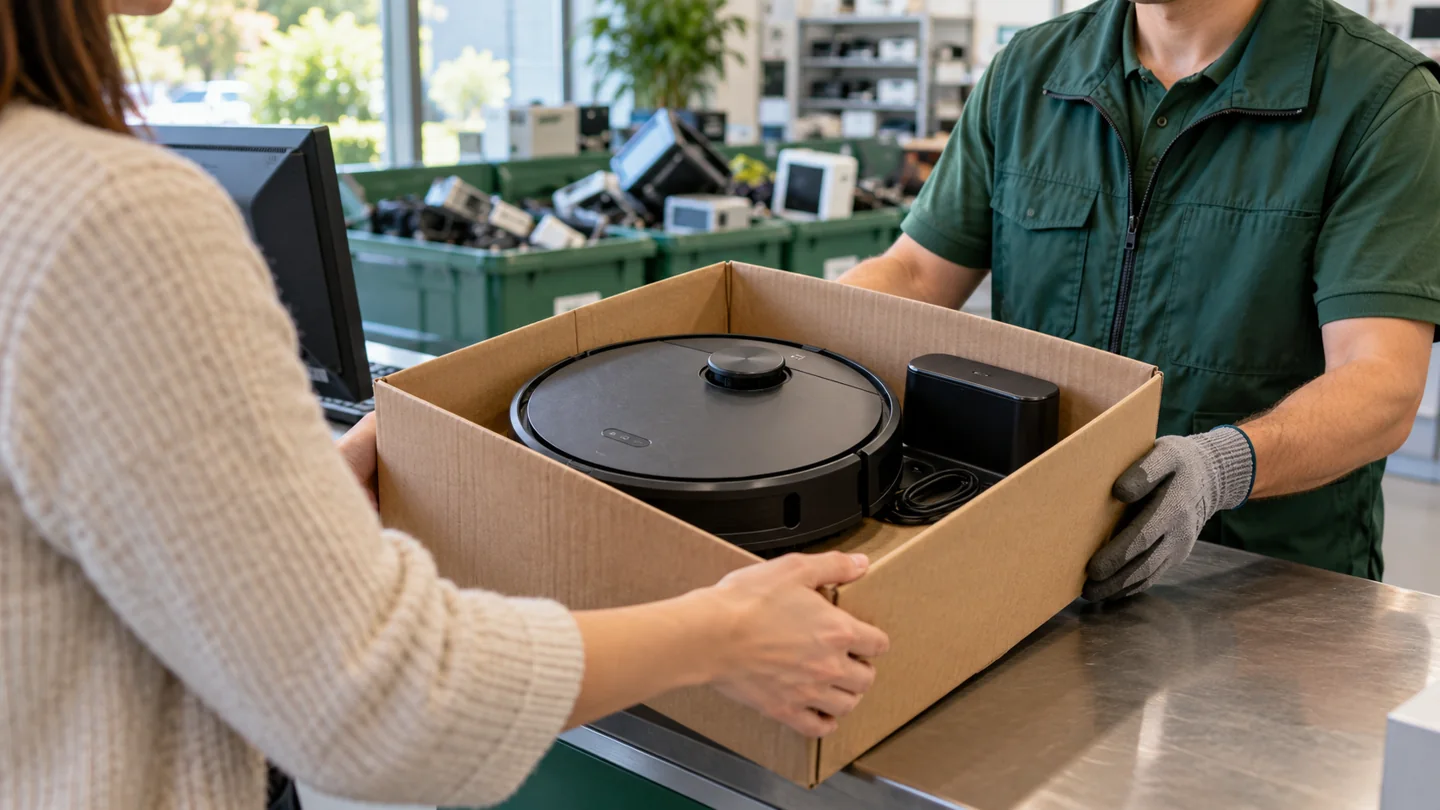
Take an unwanted robot vacuum to an electronics recycler or a collection service that accepts its battery type. Do not put a lithium-ion-powered robot, or its loose battery, in household trash or the curbside recycling bin. Before handing it over, check whether repair or reuse is practical, remove your account and stored data where possible, and confirm the receiving service’s preparation requirements.

Disposing of a robot vacuum involves more than throwing away a broken appliance. You may be handling a rechargeable battery, a dock with its own electronics, stored floor plans, replaceable accessories, and a device that could still be repaired. This guide helps you work through those parts without unnecessary dismantling.
Start by deciding whether the robot is actually at the end of its life
A robot that stops early, struggles to charge, or leaves debris behind is not necessarily beyond repair. A tangled roller, dirty charging contacts, blocked intake, full bin, or worn serviceable battery can produce symptoms that look like complete failure. Read the error message and model manual before ordering parts or arranging disposal.
There are limits to home troubleshooting. Stop using a robot with a swollen battery, damaged charging equipment, liquid intrusion, smoke, or unusual heat. Do not keep charging a suspicious unit to see whether it recovers. Contact the manufacturer or an appropriate collection service for instructions that match its condition.
For a robot without those warning signs, our guide to maintaining a robotic vacuum is a useful starting point. Check the exact model number before buying a filter, roller, battery, or dock; similar-looking parts are not automatically compatible.
Choose the right route: repair, reuse, or recycling
| Condition | Possible route | What to confirm first |
|---|---|---|
| Works reliably, but no longer suits your home | Sell, donate, or pass it on | Account transfer, working battery, charger, essential accessories, and honest condition details |
| Has a diagnosed repairable fault | Manufacturer support or a suitable repairer | Parts availability, repair estimate, warranty, and whether repair is economical |
| Not economical to repair, battery intact | Electronics collection or recycling | Acceptance of the complete robot, battery, and dock |
| Swollen, leaking, unusually hot, damaged, or recalled battery | Special handling arranged with the manufacturer or collection service | Explicit instructions for its condition; ordinary drop-off or mailing may be unsuitable |
Reuse is worthwhile only when the recipient receives a usable, safe device and understands its limitations. Do not donate a known battery hazard or describe an untested robot as fully working. Recycling is often the better route for a machine with damaged electronics, unavailable essential parts, or an unsafe battery.
Find a service that accepts the whole device
Start with your local authority’s electronics or household hazardous-waste service, the manufacturer’s take-back information, or a retailer that accepts small electronics. Acceptance rules vary: a battery collection box may not accept a complete robot, and a general electronics event may have separate instructions for lithium batteries.
Ask these questions before traveling:
- Do you accept robot vacuum cleaners with rechargeable batteries installed?
- Can I bring the charging dock, power supply, and accessories at the same time?
- Should I leave the battery installed or remove it according to the owner’s manual?
- Do I need an appointment, proof of residence, or a fee?
- What should I do if the battery or appliance is damaged?
Do not assume that an electronics symbol means curbside acceptance. The U.S. EPA’s guidance on used lithium-ion batteries directs consumers to suitable battery or electronics collection rather than household garbage or municipal recycling. Outside the United States, use the equivalent local collection guidance and check the appliance’s disposal markings.
Remove personal data before selling, donating, or recycling
Depending on the model, a robot may connect to a cloud account, store room maps, use a camera, or retain schedules and network settings. A basic remote-controlled robot may have far fewer stored settings. Use the instructions for your specific device rather than assuming every robot has the same reset sequence.
- Record the model and serial number. Keep these with your receipt or service records if you may need them later.
- Review the app’s device-management settings. Look for instructions to remove the robot, unlink the account, delete maps, or transfer ownership.
- Disconnect integrations. Remove the robot from connected voice-assistant or smart-home services if you configured them.
- Perform the documented factory reset. A Wi-Fi reset may only clear network pairing; it may not be the same as a full factory reset.
- Check account removal afterward. Confirm that the robot no longer appears as an active device in your account where the service provides that option.
If the robot will not power on, do not dismantle a battery or circuit board merely to attempt a reset. Ask the manufacturer what data-removal options remain. For a transfer, tell the recipient whether account release was completed and whether the associated app still supports the model.
Handle the battery according to its condition
Some robots have a user-replaceable battery behind a cover; others require service. Remove a battery only when the owner’s manual provides a user procedure and the collection service wants it separated. Switch the robot off, disconnect charging equipment, and follow the specified steps. Never cut wires, puncture a pack, pry apart cells, or open the battery casing.
For an intact loose battery, protect exposed terminals from contact with metal and follow the receiving service’s packaging instructions. EPA recommends nonconductive tape over terminals and/or separate plastic bags to reduce short-circuit risk. A depleted battery can still contain energy, so “it no longer runs the robot” does not mean it can be handled carelessly.
A swollen or damaged pack needs different handling. Do not force it out of a tight housing or compress it to close the cover. Contact the manufacturer or hazardous-waste service before moving or transporting it. If a device is actively smoking, hissing, or burning, move away and contact emergency services; do not continue preparing it for a routine recycling trip.
Clean the removable dirt parts without dismantling the robot
If the appliance is safe to handle, empty ordinary household debris from the bin and remove loose hair from the accessible roller. This makes the handover cleaner and allows a reuse recipient to inspect it. Keep electronic components dry, and wash only parts the manual identifies as washable. Let any permitted washed parts dry fully before reassembly.
Do not strip motors, circuit boards, sensors, or wiring to create separate material piles unless a qualified receiving service specifically directs that process. A complete unit is often easier for a specialist to assess than a box of unmarked components. Keep sharp cleaning tools away from battery housings.
If the robot collected chemicals, significant mold contamination, or another unusual substance, tell the collection service. Ordinary household dust and a contaminated appliance may require different preparation. Do not hide a condition that affects the people who will handle it.
Prepare the dock, accessories, and paperwork
A working robot is more useful with its correct charging dock, power supply, remote, and any essential boundary equipment. Check the label on the power supply rather than matching by connector shape. Include genuine spare parts where you have them and clearly label used consumables.
For a self-emptying or mopping station, follow its own shutdown and transport procedure. Empty accessible dust or water containers where appropriate, remove loose consumables, and keep the robot and station stable during transport. Do not transport a full water tank beside exposed electrical equipment.
For recycling, ask whether separate accessory items are accepted. For resale, provide the model manual or a link to it, describe actual faults, and avoid advertising unverified runtime or battery health. If a repair estimate exists, share it so the next owner can make an informed decision.
Can you mail a robot vacuum for recycling?
Only use a shipping route that explicitly accepts the appliance and its battery in their current condition. A retailer’s normal returns label is not proof that a damaged battery may be shipped. Confirm packaging and carrier requirements with the program before sending the parcel.
The U.S. Department of Transportation’s Check the Box program explains why battery-containing shipments need correct identification and preparation. For a local handover, secure the appliance against movement and follow the service’s instructions rather than improvising a mail-in shipment.
Frequently asked questions
Can I put the robot in the trash after removing its battery?
Removing the battery does not turn the remaining electronics into a universally acceptable household waste item. Check local electronics-disposal requirements and use an accepting electronics service. Keep the separated battery on its own appropriate collection route.
Do I need to take the robot apart?
Usually you should first ask the receiving service. Do not assume disassembly is required. Battery removal, where user-serviceable, is different from stripping the entire appliance into components.
Should I replace the battery instead of replacing the robot?
That can make sense when the diagnosis is clear, an approved compatible battery is available, and the rest of the machine works well. Compare the complete repair cost and support outlook before deciding. A new battery will not correct a damaged dock, failed wheel motor, or unsuitable floor-cleaning design.
Plan the handover before you dispose of it
Identify a suitable receiving service, address account access, and follow battery-specific instructions. Keeping a complete, clearly described appliance together helps either the next owner or the recycler. The goal is a safe handover, without unnecessary dismantling or a battery entering the household waste stream.
Further reading

Katy James contributes vacuum-cleaner explainers and practical cleaning guidance at GlobVacs. Her published topics include robot-vacuum operation and vacuum airflow. Read her author profile and selected articles.