Disclosure: This article contains affiliate links. As an Amazon Associate I earn from qualifying purchases.
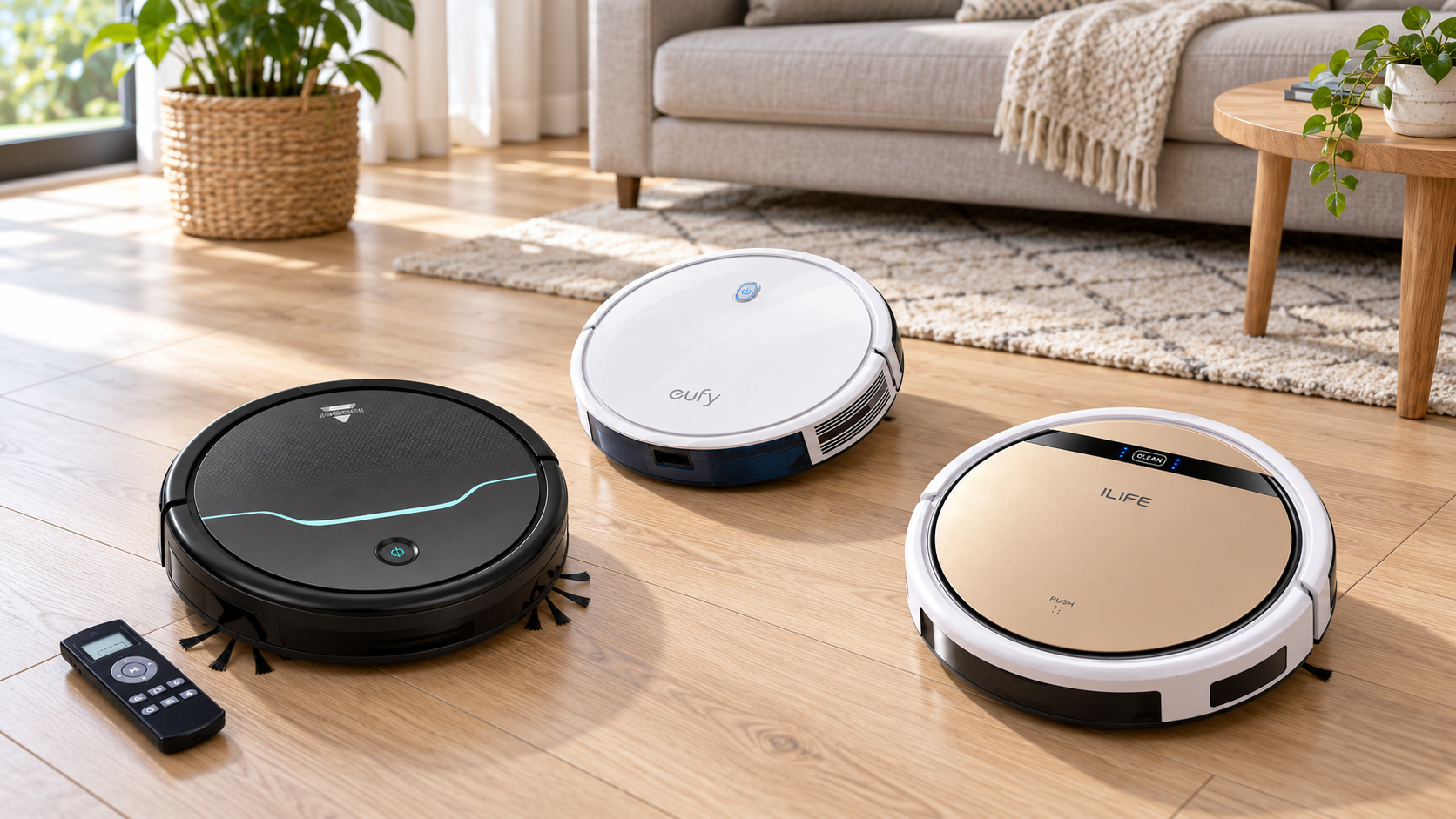
The best robot vacuum without WiFi is one whose local controls cover your routine and whose exact model is still practical to buy and maintain. For a simple vacuum-only setup, start by checking the original eufy RoboVac 11S (T2108), including its remote, battery condition and replacement support. If you also want separate light mopping on suitable hard floors, compare the ILIFE V5s Pro. The BISSELL EV675 remains an older alternative, but its availability prevents an unconditional top-pick recommendation.
Quick verdict: choose by controls, condition and support
These five models offer ways to start cleaning without an app or home Wi-Fi connection. They are not interchangeable: remote scheduling, manual start, mopping and navigation differ. Several are older products, so a low listing price is useful only when the correct charger, dock, remote and service parts are obtainable. We have retained all five options here to explain those differences rather than presenting every old listing as a current best buy.
Review basis: This is a research-based buying guide, refreshed against manufacturer documentation on 19 October 2026. It does not report side-by-side pickup, noise or battery tests. Quoted suction and runtime figures are manufacturer specifications, not our measured results. Retail stock, bundles and warranty terms must be checked with the actual seller.
For the broader control decision, read our Wi-Fi vs non-Wi-Fi robot vacuum comparison. Our article on why people still choose non-Wi-Fi robots considers when local controls fit a household.
Compare the five offline options
| Model | Offline controls | Scheduling check | Mopping | Before buying |
|---|---|---|---|---|
| BISSELL EV675 / 2503 | Onboard start and remote | Yes, using the matching remote | No | BISSELL lists the unit as no longer available; check third-party condition and support. |
| Original eufy RoboVac 11S / T2108 | Onboard start and remote | Yes, using the remote | No | Match T2108; do not substitute 11S MAX specifications. |
| ILIFE V5s Pro | Onboard start and remote | Once daily via remote | Separate water-tank mode | Turning the main switch off or fully draining the battery cancels the schedule. |
| iRobot Roomba 614 | Onboard CLEAN control | Verify the exact controls and manual | No | Consider as an older manual-start option; inspect battery, brushes and dock. |
| Enther Experobot C200 | Onboard start and remote | Confirm in the supplied manual | No | Manufacturer page showed sold out at this refresh; confirm parts and matching remote. |
1. BISSELL EV675: an older option with an availability caveat
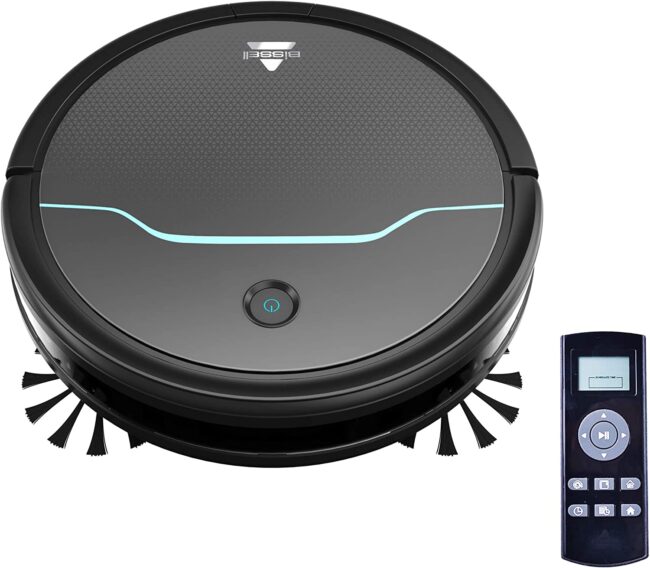
The EV675, model 2503, has a straightforward appeal: a physical remote can control cleaning and set a schedule without connecting the robot to a router. BISSELL describes a rotating main brush with two edge brushes and an advertised runtime of up to 100 minutes. Its automatic return to the charging base is convenient, provided the base is correctly positioned and the route remains accessible.
Availability changes the recommendation. At this refresh, BISSELL’s EV675 product page states that the unit is no longer available. A third-party offer may be remaining stock, refurbished or used. That does not establish its condition or warranty. Before buying, confirm the remote, dock, approved power supply, usable battery and availability of the particular wear parts you need.
Consider it when the complete package is in good condition and sensibly priced for your floors. Pass on it if a worn battery or missing accessory makes the total cost unattractive. We do not claim that it collects all debris: pickup depends on the material, surface, brushes, airflow and cleaning route. A manufacturer’s suitability statement for hard floors or carpet is not a comparative cleaning score.
BISSELL EV675 features
- Remote-controlled cleaning and scheduling
- Rotating main brush and two side brushes
- Automatic return to charging dock
- Advertised runtime up to 100 minutes
- Dry pickup on compatible floors
- Check seller, battery and replacement parts
2. Original eufy RoboVac 11S: check for model T2108
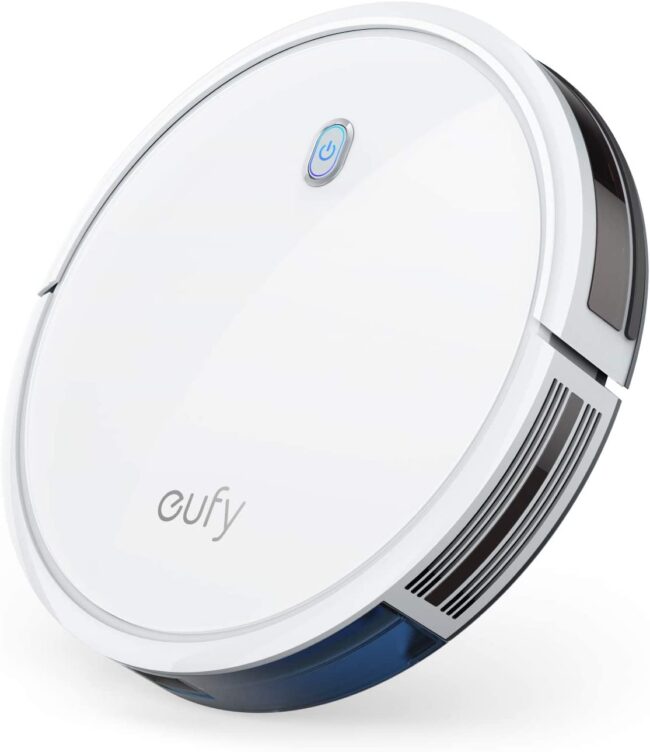
This section concerns the original RoboVac 11S, model T2108. It is not the 11S MAX. The original model uses bounce navigation and local controls, with a remote for additional functions and scheduling. eufy’s model comparison identifying T2108 lists a maximum suction specification of 1300 Pa and runtime of up to 100 minutes. It also identifies the absence of Wi-Fi, saved maps and app no-go zones.
The practical fit is a prepared floor area where basic automatic cleaning and a physical remote are enough. Its low body can be useful beneath furniture, but measure the lowest rail and any sloping section rather than relying on a slim label. Cables, rug tassels and lightweight objects still need attention before a run.
Use eufy’s original RoboVac 11S support page and manuals for setup and maintenance. The page identifies T2108 documentation, so it is a better match than an 11S MAX sales page. If a seller changes the selected variant, check the label again; a shared listing title is not evidence that the original model’s specifications apply.
eufy 11S T2108 features
- Original RoboVac 11S: model T2108
- Bounce navigation without Wi-Fi
- Remote controls modes and scheduling
- Manufacturer-rated maximum suction: 1300 Pa
- Advertised runtime up to 100 minutes
- Dry vacuuming; no saved room map
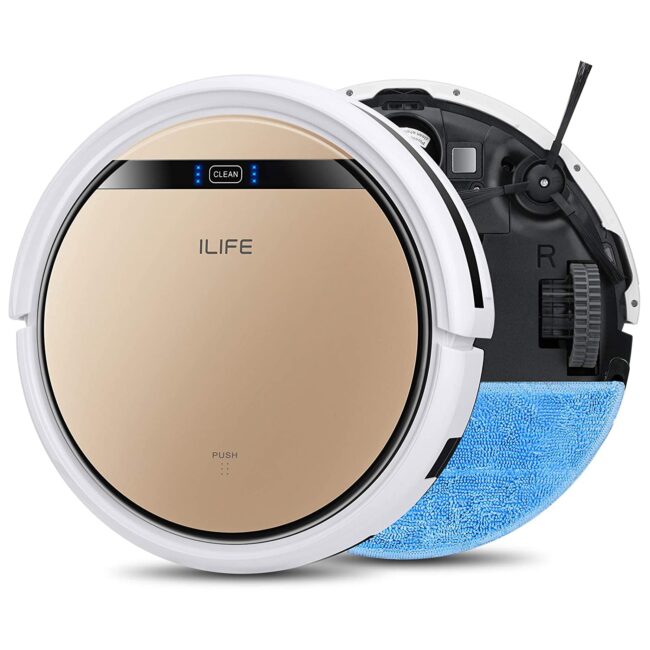
3. ILIFE V5s Pro: separate vacuuming and light mopping
The original V5s Pro uses onboard and remote controls for dry cleaning. Its suction inlet and side brushes differ from the central carpet-brush arrangement found on some alternatives. That may suit a routine focused on suitable hard floors, but it is not evidence of superior embedded-hair removal from carpet. Choose the cleaning system for the surface rather than treating a pet-hair label as a test result.
Mopping is a separate setup. Replace the dustbin with the water tank and fit the cloth as described in the ILIFE V5s Pro user manual. Refit the dustbin for vacuuming, remove the water tank before charging, and follow the flooring maker’s wet-care instructions. This is not a wet-spill extractor or a carpet-washing machine.
Scheduling has an important limitation: ILIFE’s V5s Pro FAQ describes one scheduled clean per day. Switching the main power off or letting the battery run completely down cancels the schedule. After docking and recharging, it waits for the next scheduled cycle unless you start it with the remote. Keep those details in mind if you want to switch the robot off between sessions.
ILIFE V5s Pro features
- Remote-controlled dry cleaning
- Separate water-tank mopping mode
- Once-daily remote scheduling
- Suction inlet with side brushes
- Remove water tank before charging
- Confirm exact model and spare parts
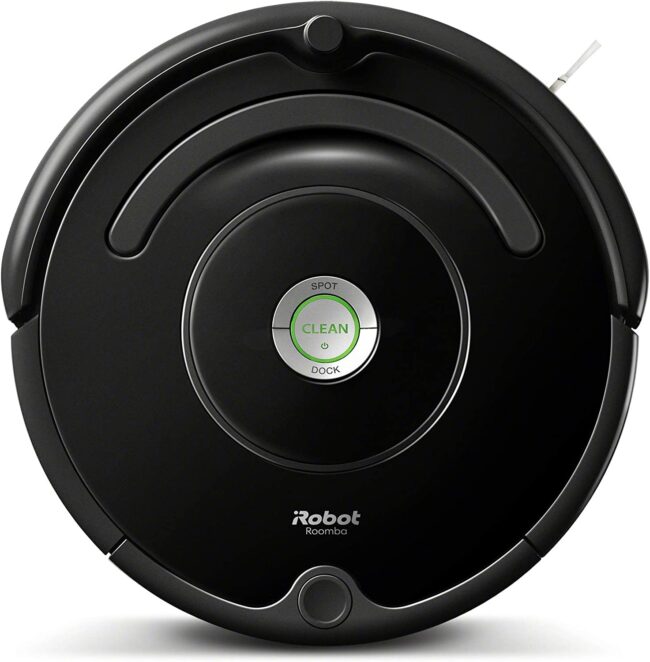
4. iRobot Roomba 614: assess the actual older unit
The Roomba 614 is worth considering mainly as a straightforward older robot that can be started using its onboard CLEAN control. Its brush-based dry-cleaning system and dock may fit someone who is happy to start a run themselves. Do not assume that an accessory, schedule feature or app function advertised for another 600-series model applies to the unit in front of you.
For a used or refurbished machine, inspect the brush compartment, wheels, bin, charging contacts and compatible base. Ask about battery condition and the return policy. A robot that briefly powers on has not demonstrated that it will complete your normal cleaning area or reliably return to charge. Test those tasks during the return period where the seller allows it.
iRobot’s model-specific included-parts reference identifies the 614’s original package. It is a useful checklist for a second-hand offer, while the actual label and supplied manual determine the correct controls and replacement parts. If automatic scheduling is essential, get explicit confirmation for the exact unit before buying; manual-start use is the basis of its inclusion here.
Roomba 614 features
- Onboard CLEAN control
- Main-brush and side-brush cleaning
- Automatic docking
- Dry vacuuming; no mopping
- Check battery and included dock
- Confirm exact controls before purchase
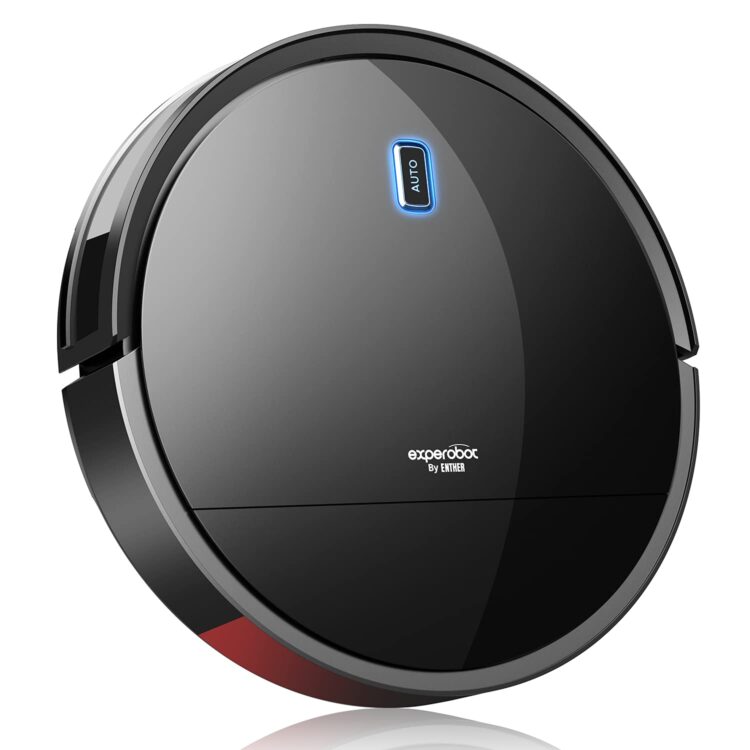
5. Enther Experobot C200: verify documentation and parts
The Enther C200 retail option should be matched to the exact manufacturer model. Enther describes onboard one-touch start, a physical remote, a 0.5 L bin and an advertised runtime of up to 120 minutes. Those specifications suggest a basic floor-maintenance role, but the longest runtime does not establish how completely it will cover a particular home. Floor layout, settings and battery condition affect the result.
The manufacturer’s C200 page describes gyroscope-based routing and infrared sensors, while also using LiDAR wording elsewhere on the page. That mixed terminology is not sufficient evidence of an editable room map or precise object recognition. Confirm any navigation or scheduling feature that matters to you against the supplied manual and exact model.
At this refresh, the manufacturer page showed the C200 as sold out. A third-party offer therefore needs the same checks as other older options: correct remote, approved charging equipment, working battery, usable filters and obtainable brushes. We would not pay a premium for an unverified advanced-navigation claim or buy a package with missing essential accessories.
Enther C200 features
- Onboard start and physical remote
- Manufacturer-described gyroscope routing
- Advertised runtime up to 120 minutes
- Manufacturer-listed 0.5 L bin
- Dry use on compatible floors
- Check stock, manual and replacement parts
What you gain and give up without Wi-Fi
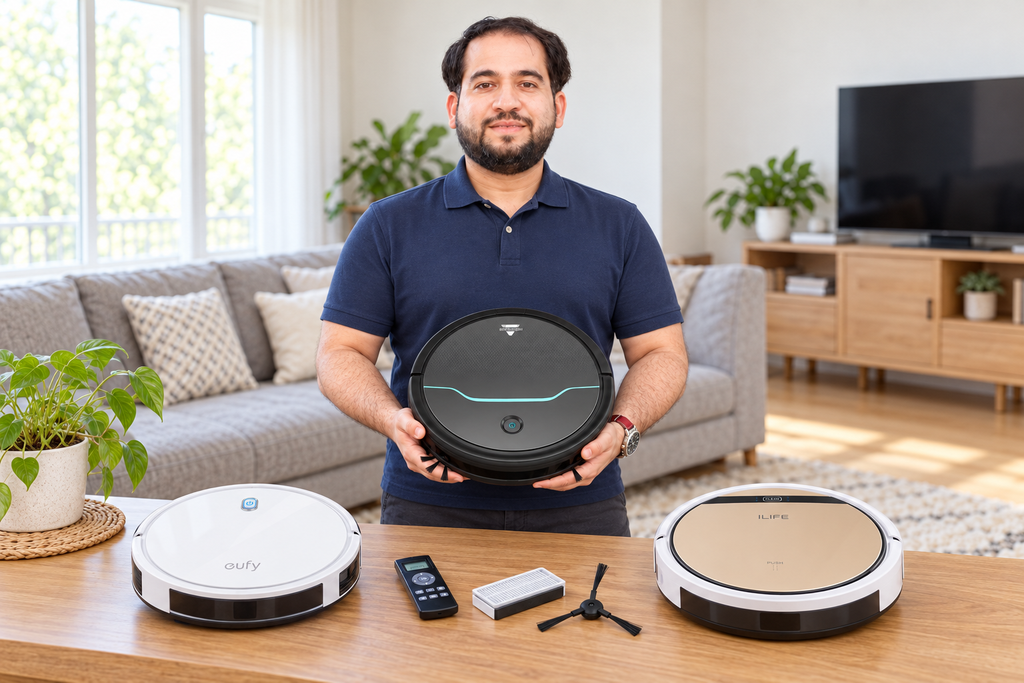
Local buttons and a remote let you begin cleaning without a network account, router pairing or an app on a shared phone. That can be convenient in a holiday property, a room with poor wireless coverage or a household that prefers physical controls. The benefit is the control arrangement itself; age or technical confidence alone does not determine who will prefer it.
Expect to manage more of the cleaning area physically. A basic robot may travel through open doorways without offering named-room selection, saved no-go zones or a map you can edit. Close doors or use barriers approved for the model where necessary. A Wi-Fi robot with a start button may also clean offline, but some useful settings can still require initial app setup. Check each required task rather than relying on an offline label.
How to choose a non-Wi-Fi robot you can keep using
Start with the floor and the debris
List the surfaces and ordinary dry debris the robot will meet. Hair on a hard floor, grit in a grout line and strands embedded in carpet are different jobs. Check the permitted floor types, brush arrangement and care instructions. For vinyl, our robot-vacuum guide for vinyl floors explains why wheels and the underside of the head also need inspection.
Keep manual tools for stairs, upholstery, narrow gaps and debris the robot is not designed to collect. Neither a high suction-pressure figure nor a three-stage cleaning label proves that every surface will be clean after one run. Inspect the result in your own home and adjust the permitted routine if material remains.
Check the controls before paying
Decide whether you need only start and stop, or also mode selection, steering and a stored schedule. Confirm which controls are on the body and which depend on the remote. For older offers, a missing remote can remove much of the convenience even when the vacuum still starts normally. Match a replacement by the supported part reference, not appearance.
Check what happens after switching off the main power, replacing remote batteries or leaving the robot unused. A daily timer is different from a flexible weekly schedule. If you need several timed runs, confirm that ability explicitly rather than assuming every programmable remote offers it.
Prepare a route it can clean safely
Remove loose cables, small objects and unsuitable rug edges. Measure clearance beneath furniture, give the dock its specified approach space, and test the layout while you can supervise. A robot that repeatedly becomes trapped needs a layout or maintenance check; extending its runtime does not solve that obstacle.
Cliff sensors assist drop detection but do not guarantee protection against every fall. Keep sensors clean and use a physical barrier where the manufacturer requires one or an unsafe drop remains accessible. Do not override a sensor to force the robot across a dark surface or close to a stair edge.
Separate docking, runtime and resume
Returning to a dock is not the same as resuming an interrupted job after charging. Ask whether the exact robot can do both. Likewise, an advertised maximum runtime is measured under particular conditions and may not describe carpet cleaning at a stronger setting. An aged battery can reduce it further.
Judge useful coverage: can the robot clean the area you need, with an acceptable result, before it needs attention? A larger bin can reduce emptying frequency, but it does not extend battery life. Keep the bin, filter, brushes and wheels maintained according to the manual so avoidable restrictions do not shorten a session.
Compare the complete ownership cost
Add the cost of any missing remote, dock, approved power supply, battery and wear parts to the asking price. Check the seller’s condition description, warranty and return arrangements. Remaining stock is not automatically a bargain, and a familiar brand name does not guarantee support for every older model.
The strongest purchase is the one you can operate, maintain and return if it does not fit the job. If the right accessories or documentation cannot be confirmed, keep looking rather than buying on a flattering feature list. This matters especially when a marketplace combines several similarly named models under one listing.
Frequently asked questions
Basic onboard start may still work, but scheduling or additional modes can depend on the remote. Ask the manufacturer for a compatible replacement using the exact model and part reference. Do not assume a similar-looking universal remote will provide every function.
You can carry a suitable robot to another approved cleaning area, but check the instructions for charging, docking and any stored settings. Moving it does not create a multi-floor map. Keep each area prepared and block unsafe drops before starting.
Compatibility depends on the exact robot and rug. Dark surfaces can affect some drop-sensor systems, while fringe and pile create separate problems. Consult the manual, supervise an initial check and stop if movement is abnormal. Do not cover or bypass safety sensors.
No. A compatible infrared remote sends local signals to the robot. It still needs usable batteries, a suitable operating distance and an unobstructed signal path as described in the manual.
Keeping a serviceable robot can make sense when it handles your floors and compatible consumables remain obtainable. Compare a specific repair or battery cost with replacement options. Stop using damaged charging equipment or a damaged battery and seek the manufacturer’s guidance.
Which option should you choose?
Check the original eufy 11S first for a simple vacuum-only routine, or the ILIFE V5s Pro when separate light mopping is useful on your approved floors. Treat the EV675, Roomba 614 and C200 as conditional older options whose condition, accessories and support must justify the purchase. None earns a recommendation solely because an old listing calls it powerful, smart or best for pet hair.

Abi Khan is the founder and a content writer at GlobVacs. His published work covers vacuum-cleaner buying guides, product comparisons and practical maintenance advice. Read his author profile and selected articles.