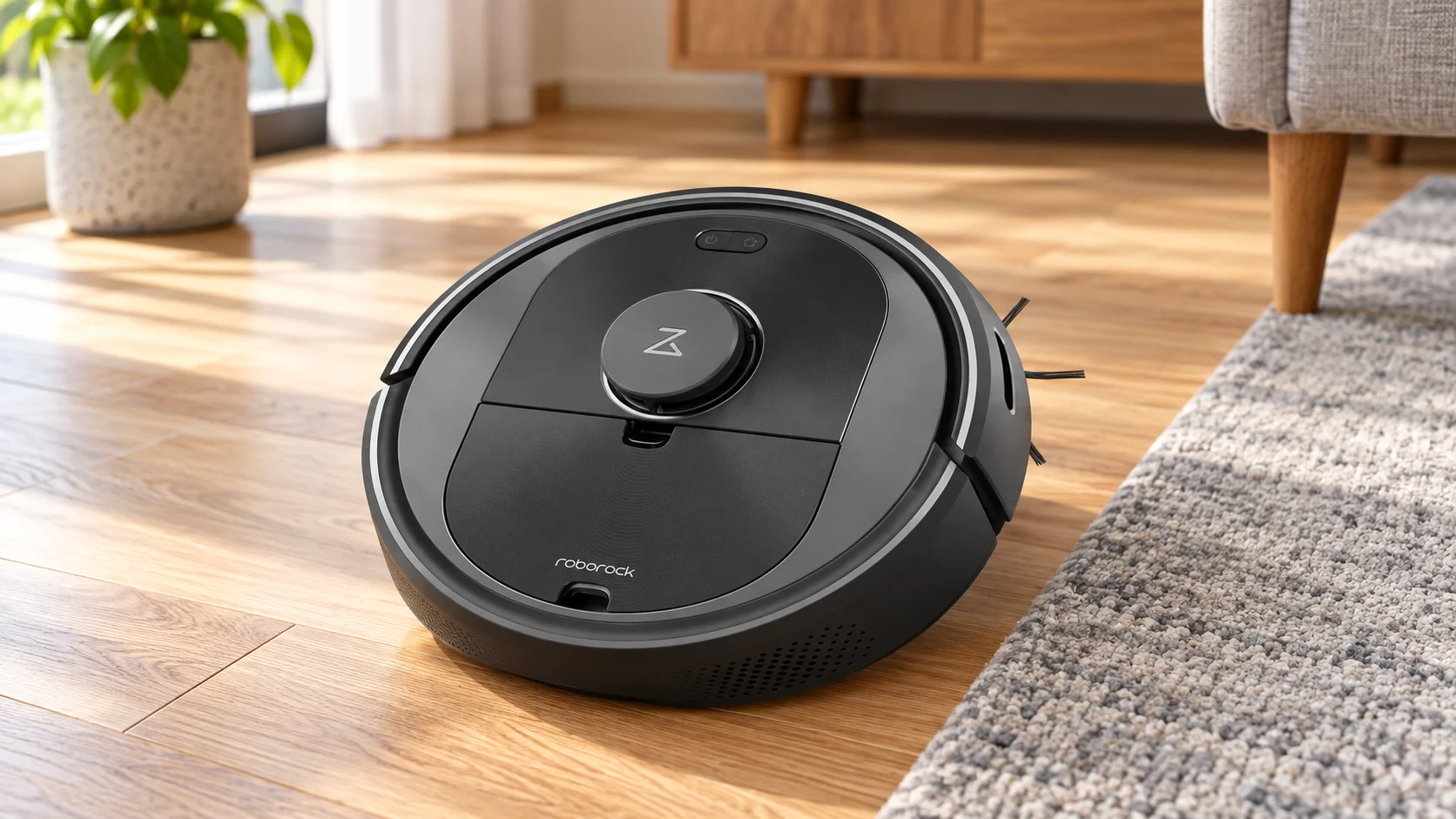
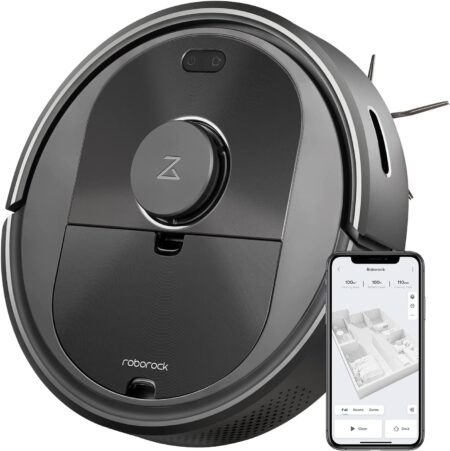
The original Roborock Q5 is a vacuum-only robot built around LiDAR navigation and app-controlled cleaning. Its strongest reason to buy is organized coverage: it can work from a map instead of repeatedly wandering through the same open space. It suits homes that want regular dry-debris pickup and room control, provided the owner is willing to clear obstacles and maintain the brushes.
Review basis: This assessment uses manufacturer information and model-specific buying analysis. Advertised suction and runtime figures are not independent pickup or battery test results.
Quick verdict: who should buy the Roborock Q5?
Choose the original Q5 for mapped vacuuming on hard floors and suitable low-pile carpet. The important trade-off is that it does not mop or recognize small floor hazards with a camera. The standard Q5 charging dock also does not empty the bin; the Q5+ package adds an auto-empty dock. Judge the exact package and condition before comparing its price with newer Q-series robots.
Key features and model details
- Original Roborock Q5: dry vacuuming; no water tank or mop
- PreciSense LiDAR navigation and app maps
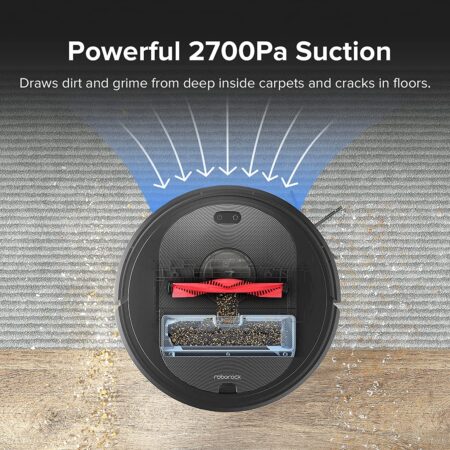
- Manufacturer-rated maximum suction: 2,700 Pa
- Advertised runtime up to 180 minutes under specified low-power conditions
- Room selection and virtual no-go controls through the app
- Standard charging dock; Q5+ is the auto-empty package
- Main brush, side brush and removable dustbin require routine care
Pros
- Mapped routes and room selection
- Useful maximum-runtime specification for longer low-power sessions
- LiDAR supports organized coverage
- Recharge-and-resume capability for interrupted mapped jobs
- App-based no-go zones
Cons
Q5, Q5+ and Q5 Pro are different purchases
The name on the box matters. This review covers the original 2,700 Pa Q5. Q5+ refers to that robot packaged with the Auto-Empty Dock Pure. Q5 Pro belongs to a different generation; its roller arrangement, advertised suction and mopping equipment should not be attributed to the original Q5.
When looking at an older listing, check the robot model, dock model and included dustbin rather than relying on the first product photograph. A basic charging dock cannot provide automatic dirt disposal. Do not assume that an unspecified replacement dock or a dock from another Q-series model is compatible.
What LiDAR mapping changes in daily use
LiDAR is useful because it gives the Q5 a spatial framework for planned cleaning, room selection and exclusion zones. In an apartment with separate bedrooms, that can be more practical than sending a basic robot out for an entire battery cycle whenever only the kitchen needs attention.
A map does not prove that the robot sees every cable or sock. Low objects can remain below the useful sensing area, and clutter can block access to a mapped location. Set no-go zones around predictable trouble spots and check that a saved map still corresponds to the furniture layout. Moving the dock or substantially rearranging rooms can require map adjustment.
Hard-floor pickup, carpet and pet hair
The Q5 combines suction, a main brush and a side brush to collect dry dirt encountered on its route. Hard floors with open access are a sensible use case. On carpet, brush contact and the type of pile matter as well as motor power; the quoted Pa figure cannot establish how much embedded dust it removes.
Pet hair is a recurring maintenance task, not a reason to leave the bin unchecked. A shedding pet can fill a small robot bin before a scheduled route ends. Hair can also collect around brush ends and the front wheel. Frequent smaller cleans are more realistic than expecting the Q5 to remove a heavy accumulation in one unattended session.
There is no mopping mode on the original Q5
The original Q5 has no mopping hardware. It does not spray water, carry a cleaning-solution tank or wipe floors with supplied mop cloths. If a listing describes those functions, establish whether it is actually offering a different Q5 variant before buying.
For households that mainly want dried kitchen spills removed, this distinction is decisive. Dry vacuuming is useful preparation for a separate floor-cleaning routine, but suction alone will not wash sticky residue. An existing mop may make the Q5 a sensible complement; buying it specifically to replace a mop would be a mismatch.
App setup, room control and docking
The app is where the mapped-cleaning features become useful. Plan to connect the robot to the supported home Wi-Fi network, create or use the required account, complete an initial map and check the room boundaries before relying on schedules. On-device buttons are useful for basic operation, but they are not a substitute for all map controls.
The Q5 can recharge and continue a mapped cleaning task when required. That is different from guaranteeing that every room finishes in one charge. A busy room, higher suction or repeated rug crossings changes the workload. Keep the dock approach clear and check the cleaning report when establishing a new schedule.
Runtime and noise: how to interpret the claims
Roborock advertises up to 180 minutes of runtime for the original Q5. Treat that as a maximum under the manufacturer’s conditions rather than an expected result on carpet at high suction. We have no controlled battery test for the unit a reader will receive, particularly if it is used or older stock.
The same caution applies to quietness. Vacuuming noise changes with power and surface, while an auto-empty dock adds a separate brief and louder event. Schedule around calls or sleep rather than assuming the robot will be inaudible. A useful routine balances access, pickup and acceptable noise.
Cleaning the Q5 and keeping costs predictable
Empty the robot bin before it is packed tight, remove hair from the main brush and inspect the side brush for bent or tangled bristles. Wipe sensors and charging contacts as directed in the model’s manual. A dirty sensing surface can create navigation problems even while the suction motor still sounds normal.
Check the manual before washing a filter or bin component, and reinstall permitted washable parts only after they are completely dry. Owners of the Q5+ also need compatible dock bags and a clear evacuation path. Automatic emptying reduces bin handling but does not clean the roller, wheels, filter or sensors.
Alternatives and the buying decision
For a mapped robot that also carries a damp mop, compare the Roborock S5 Max; its older mopping design has different limitations. The Shark AV752 ION offers simpler reactive navigation, so it is a different choice for buyers who can accept less precise coverage. Compare total package costs rather than treating every robot-and-dock photograph as equivalent.
Setting up a routine that a robot can finish
Start with one supervised run. Remove charging cables, loose socks, rug fringe and pet bowls that can slide. Measure the lowest furniture opening before letting the robot enter: a sofa can admit the front of a robot while trapping its raised rear or sensor housing. A robot that needs rescuing halfway through a route saves less work than its runtime suggests.
Place the dock where the robot can approach it freely and leave it there while establishing a routine. Start with accessible rooms and expand after checking door thresholds and rugs. Compare the debris left behind with your normal cleaning standard, then adjust frequency or suction. A long session is useful only when the machine reaches the areas that need cleaning.
What to budget for after purchase
Replacement filters, side brushes, a main roller where fitted, and an eventual battery are ownership costs. Check compatibility by the full model number rather than the brand name alone. For a used or older-stock robot, inspect the battery condition and confirm that the appropriate app still pairs before the return period expires.
A robot reduces routine floor work but leaves stairs, upholstery, narrow gaps and occasional deep cleaning to another tool. If one of those is your main problem, budget for that tool first. The sensible purchase is the machine that removes a repeated chore in your particular home, rather than the one with the longest feature list.
Related reading and purchase options
Further reading: How many vacuums are made per year in the US?.
Related guides and reviews
Use our tile-floor vacuum buying guide to compare a robot with manually controlled cleaning options. For upkeep, see how to maintain a robotic vacuum. The vacuum reviews hub groups the individual models for further comparison.
Frequently asked questions
Does the original Roborock Q5 mop?
No. The original Q5 is a dry-vacuuming robot. Mopping specifications from Q5 Pro or other Q-series models do not apply.
Does the Q5 empty itself?
Only with the correct compatible auto-empty equipment. The Q5+ package includes an auto-empty dock; a standard charging dock only charges.
Does LiDAR mean it avoids pet waste?
No. LiDAR mapping should not be treated as small-object or pet-waste recognition. Clear the floor and supervise initial runs.
Final verdict
Choose the original Q5 for mapped vacuuming on hard floors and suitable low-pile carpet. The important trade-off is that it does not mop or recognize small floor hazards with a camera. The standard Q5 charging dock also does not empty the bin; the Q5+ package adds an auto-empty dock. Judge the exact package and condition before comparing its price with newer Q-series robots.
Sources and review method
The original Q5 manufacturer page was used to separate vacuuming, mapping and dock features from later variants. Roborock Q5 manufacturer specifications; Roborock Q5 owner manual. Specifications and bundles can differ by region or production revision; match the rating label and supplied manual to the exact unit.

Abi Khan is the founder and a content writer at GlobVacs. His published work covers vacuum-cleaner buying guides, product comparisons and practical maintenance advice. Read his author profile and selected articles.