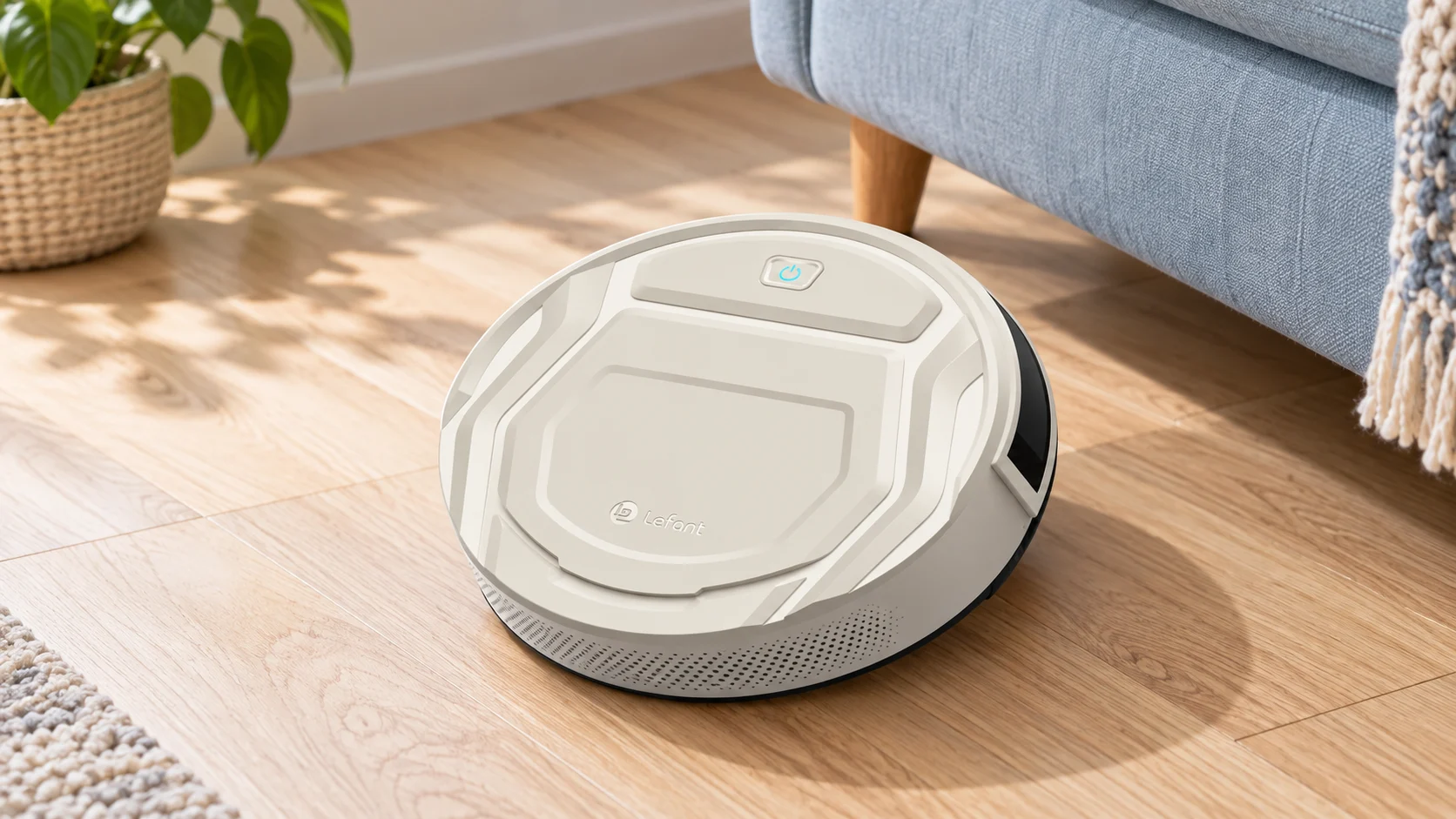
The original Lefant M210 Pro is a compact robot vacuum intended for routine dry-debris pickup. Its suction-port design avoids a conventional central roller, which is relevant to buyers dealing with loose pet hair on hard floors. Its simpler navigation and manual bin care also set clear limits: this is not the same product as a later M210 Pro+ or an OMNI station system.
Review basis: This assessment uses manufacturer information and model-specific buying analysis. Advertised suction and runtime figures are not independent pickup or battery test results.
Quick verdict: who should buy the Lefant M210 Pro?
The original M210 Pro is a reasonable option for a prepared, mainly hard-floor space when compact size and reduced central-brush hair wrapping are priorities. Choose it with realistic expectations about coverage: it does not provide LiDAR room selection or automatic dirt disposal. A suction port also offers less carpet agitation than a powered central brush, so carpet-heavy homes need a different comparison.
Features
- Original M210 Pro; do not transfer features from Pro+ or OMNI variants
- Suction-port design without a conventional central roller
- Compact body for suitable furniture clearance
- Advertised maximum runtime depends on mode and battery condition
- App scheduling and supported Wi-Fi connection
- Supported voice control after connected setup
- Manual dustbin and filter maintenance
- Reactive navigation rather than LiDAR room mapping
Key features and model details
- Original M210 Pro; do not transfer features from Pro+ or OMNI variants
- Suction-port design without a conventional central roller
- Compact body for suitable furniture clearance
- Advertised maximum runtime depends on mode and battery condition
- App scheduling and supported Wi-Fi connection
- Supported voice control after connected setup
- Manual dustbin and filter maintenance
- Reactive navigation rather than LiDAR room mapping
Pros
- No central roller for long hair to wind around
- Compact design for accessible hard-floor spaces
- App scheduling for frequent maintenance cleans
- Basic on-device control
- Straightforward dry-debris collection
Cons
- Less brush agitation for embedded carpet dirt
- No precise LiDAR room control or self-emptying dock
Identify the original model before reading a specification
Lefant’s similar model names can refer to substantially different hardware. M210, M210 Pro, M210 Pro+ and products sold with OMNI branding should not be treated as one robot. Check the model label and the seller’s selected variation rather than trusting a page heading that combines several versions.
This matters most for navigation, suction claims, mop equipment and dock functions. The existing purchase link concerns the original M210 Pro listing. If a modern product page describes a washing station or a much higher suction figure, that does not make those features part of the older robot reviewed here.
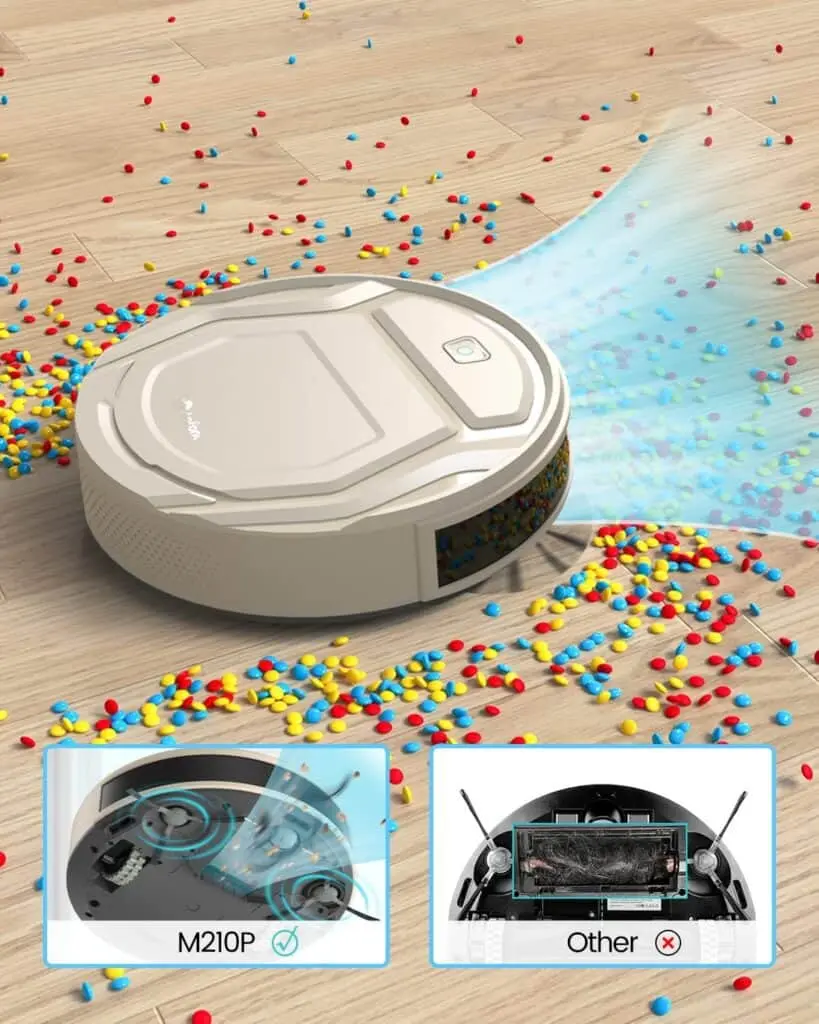
What the suction-port design changes for pet owners
Without a conventional central roller, long hair cannot wrap around that absent roller. That is a useful mechanical distinction for loose hair on smooth flooring. It does not make the robot tangle-proof: side brushes, wheels and the intake can still collect hair and string.
It also changes the carpet trade-off. A powered roller can disturb carpet fibers to loosen dirt; a suction-port design relies more heavily on airflow and the debris already being loose. If embedded pet hair in rugs is the main problem, compare brush-equipped machines and keep a normal vacuum available rather than expecting the robot to replace deep cleaning.
The original M210 Pro should not be described as a LiDAR robot with an editable saved room map. Reactive movement can cover an accessible room over repeated passes, but it may revisit an open area while reaching a narrow doorway less often. A schedule increases opportunities for coverage; it does not guarantee every patch is reached on each run.
For a small apartment, the most useful setup may be one contained area at a time with clear pathways. For a larger multi-room home, consider how you will restrict access to clutter or rugs. If named-room selection is essential, buy that navigation capability deliberately.
Hard floors, low furniture and thresholds
A compact body can be helpful beneath furniture with enough clearance, but measure the entire opening and any raised parts of the robot. Furniture skirts and recliner mechanisms can create traps after the front bumper has already passed underneath. Test those areas while you are present.
The same applies to rugs and thresholds. A fixed beveled transition is different from a loose mat with fringe. Check whether the robot crosses without repeated stalls and whether the side brushes scatter coarse debris along edges. Make those observations in your home rather than inferring performance from suction pressure alone.
App setup, scheduling and everyday controls
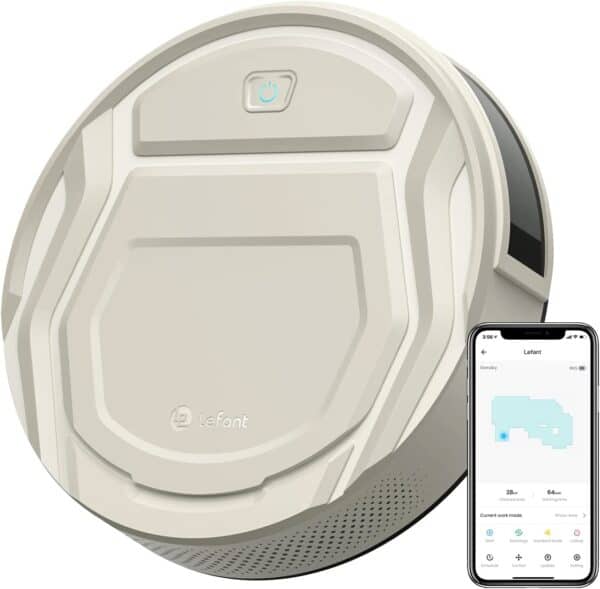
Follow the instructions supplied with the exact regional model for the app and supported Wi-Fi band. Connected scheduling and voice commands need a working account and network; basic on-device controls serve a different purpose. Check pairing during the return period, particularly when buying an older or used unit.
A phone interface does not add hardware the robot lacks. Avoid interpreting a cleaning-path display as proof of LiDAR room selection, virtual no-go zones or advanced small-object recognition. Choose schedules around when the floor is prepared and inspect the route before relying on unattended cleaning.
Runtime and noise without unsupported test claims
A quoted maximum runtime is not a promise of a particular apartment size being cleaned on high suction. Surface resistance, travel pattern, power level and battery condition all matter. We have no controlled runtime or noise measurements for the unit a reader will receive.
Use a normal cleaning route to assess whether the battery is adequate. Listen at your preferred suction setting and consider whether the timing works around calls or sleep. Calling a robot quiet does not establish that it will avoid disturbing a baby, a pet or someone in the next room.
Maintenance and the cost of ownership
Empty the bin frequently enough that hair does not pack against the filter. Inspect side brushes, wheel axles and the intake, even though there is no central roller to clean. Dust the sensors and charging contacts as directed in the manual. If the robot stops docking consistently, check those surfaces and the approach to the base.
Do not assume every filter is washable. Use the instructions for the exact filter fitted, and replace damaged or loaded media when necessary. Confirm supplies for the original M210 Pro before buying; accessories advertised for a similarly named newer robot may not fit.
Alternatives and the buying decision
A brush-equipped reactive model such as the Coredy R750 provides a different carpet-cleaning mechanism. The NOISZ by ILIFE S5 Pro is relevant when local remote control is preferred. The original Roomba 675 and Eufy 11S are also different designs; without comparable testing, higher advertised suction alone cannot justify calling one a better cleaner.
Setting up a routine that a robot can finish
Start with one supervised run. Remove charging cables, loose socks, rug fringe and pet bowls that can slide. Measure the lowest furniture opening before letting the robot enter: a sofa can admit the front of a robot while trapping its raised rear or sensor housing. A robot that needs rescuing halfway through a route saves less work than its runtime suggests.
Place the dock where the robot can approach it freely and leave it there while establishing a routine. Start with accessible rooms and expand after checking door thresholds and rugs. Compare the debris left behind with your normal cleaning standard, then adjust frequency or suction. A long session is useful only when the machine reaches the areas that need cleaning.
What to budget for after purchase
Replacement filters, side brushes, a main roller where fitted, and an eventual battery are ownership costs. Check compatibility by the full model number rather than the brand name alone. For a used or older-stock robot, inspect the battery condition and confirm that the appropriate app still pairs before the return period expires.
A robot reduces routine floor work but leaves stairs, upholstery, narrow gaps and occasional deep cleaning to another tool. If one of those is your main problem, budget for that tool first. The sensible purchase is the machine that removes a repeated chore in your particular home, rather than the one with the longest feature list.
Related reading and purchase options
Further reading: robot vacuum .
Check the exact model, included tools, condition and current seller terms: Roomba 675.
Related guides and reviews
Compare phone-free priorities in our robot vacuum buying guide without Wi-Fi, and read how often to run a robot vacuum when planning a pet-hair routine. The reviews hub connects related models.
Frequently asked questions
Is the M210 Pro completely tangle-free?
No. The absence of a central roller reduces one hair-wrapping location, but wheels, side brushes and the intake still need inspection.
Does the original M210 Pro have LiDAR room mapping?
No. Do not transfer navigation or station features from similarly named later variants.
Is it a replacement for carpet deep cleaning?
It is better assessed as a routine dry-debris robot, particularly for hard floors. Its suction-port design has no central brush to agitate embedded carpet dirt.
Final verdict
The original M210 Pro is a reasonable option for a prepared, mainly hard-floor space when compact size and reduced central-brush hair wrapping are priorities. Choose it with realistic expectations about coverage: it does not provide LiDAR room selection or automatic dirt disposal. A suction port also offers less carpet agitation than a powered central brush, so carpet-heavy homes need a different comparison.
Conclusion
The original M210 Pro is a reasonable option for a prepared, mainly hard-floor space when compact size and reduced central-brush hair wrapping are priorities. Choose it with realistic expectations about coverage: it does not provide LiDAR room selection or automatic dirt disposal. A suction port also offers less carpet agitation than a powered central brush, so carpet-heavy homes need a different comparison.
Sources and review method
Lefant’s legacy M210-family product information was checked separately from later Pro+ and OMNI products; unsupported model-specific test results are not presented. Lefant legacy M210P product information; Lefant manufacturer website. Specifications and bundles can differ by region or production revision; match the rating label and supplied manual to the exact unit.

Abi Khan is the founder and a content writer at GlobVacs. His published work covers vacuum-cleaner buying guides, product comparisons and practical maintenance advice. Read his author profile and selected articles.