
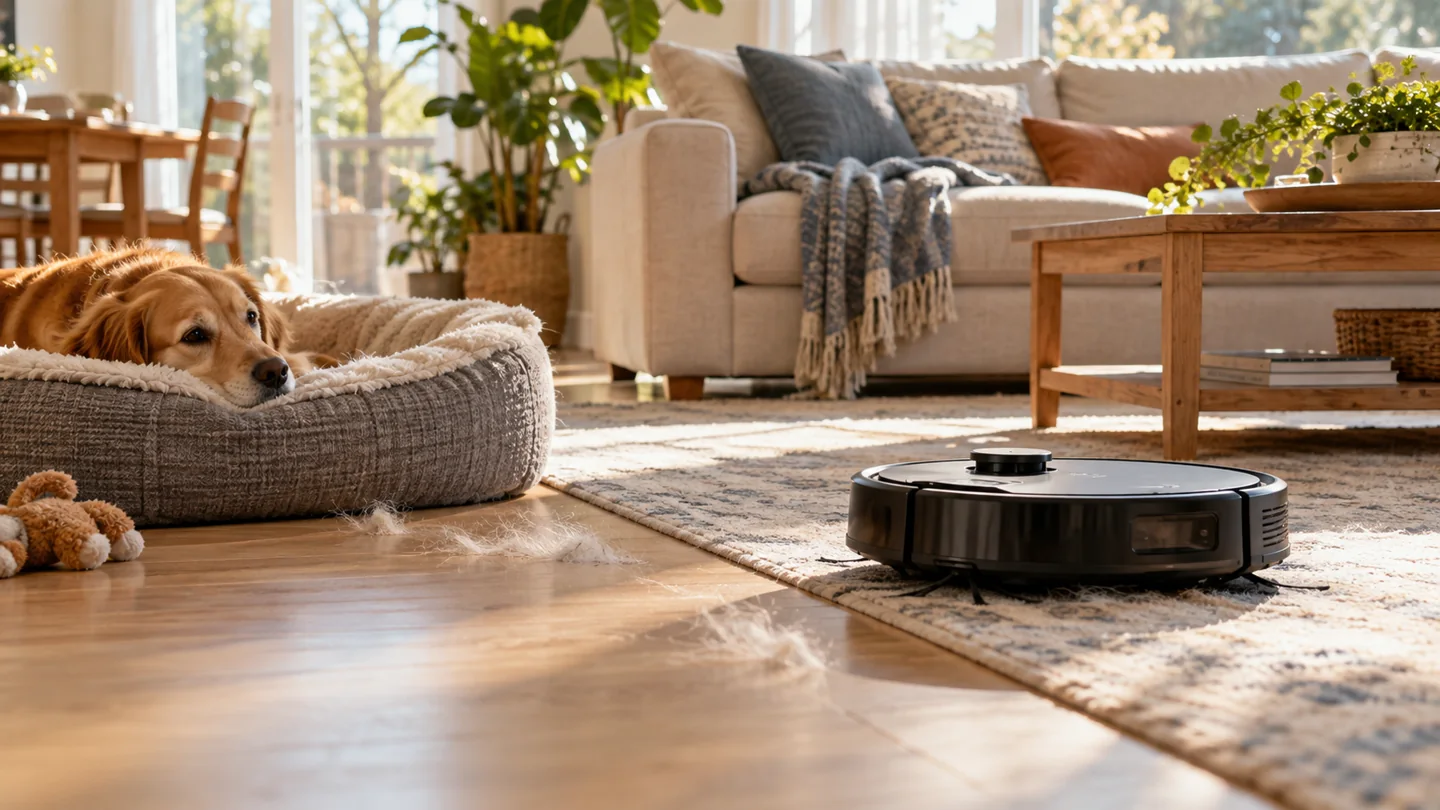
Run your robot vacuum often enough to collect the debris that builds up between sessions, using a schedule your household and flooring can support. Busy pet areas may benefit from frequent targeted runs, while a quiet spare room may need less attention. There is no universal daily or weekly rule for every home, and room size alone does not decide the interval.

Start with a practical schedule, inspect the result for a week or two, and adjust one area at a time. The useful measure is whether the robot finishes a compatible route and leaves the floor acceptably clean—not simply how many automatic starts appear on the calendar.
A starting schedule to test, not a universal requirement
| Area or situation | Possible starting approach | What to review |
|---|---|---|
| Busy entrance or pet-hair route | Frequent short targeted runs, potentially daily if appropriate | Visible grit or hair between runs, bin loading, and route safety |
| Normally used living room | A few scheduled sessions across the week | Traffic, carpet care requirements, debris, and manual cleaning needs |
| Rarely used bedroom | Less frequent planned cleaning plus checks before use | Settled dust, open access, and whether the robot actually reaches the area |
| After an ordinary dry crumb spill | A suitable targeted cleanup if the debris is permitted | Debris size, intake suitability, and whether a manual tool is simpler |
| Wet spill, pet accident, or unknown material | Keep the robot away and use the appropriate cleanup method | Do not send a dry vacuum into liquid or contamination |
These are planning examples. Your floor’s care instructions, the robot’s manual, and the actual household conditions take priority. Do not use a schedule to override an equipment restriction.
1. Base frequency on debris, not house size alone
A small apartment with a shedding dog and a busy entrance can need more frequent loose-debris collection than a larger home with little foot traffic. Conversely, a large floor area may require dividing the job into zones without increasing how often each quiet room is cleaned.
Check where debris appears first: beneath dining chairs, beside a pet bed, along an entrance path, or under a frequently used sofa. A robot that supports selected-room or zone cleaning can concentrate effort there. A reactive model may need a different arrangement using compatible boundaries.
Do not assume that an app connection provides targeted room controls. Check the exact model’s capabilities. Our guide to how robot vacuums work separates navigation, mapping, and connectivity.
2. Check flooring compatibility before increasing runs
A more frequent schedule is useful only when the cleaning system is suitable for the floor. Follow restrictions on powered brushes, delicate rugs, long pile, loose edges, and wet-cleaning methods. Inspect the robot’s wheels and underside for grit that could be dragged across the surface.
Carpet maintenance also depends on the carpet product and traffic. The Carpet and Rug Institute’s care guide emphasizes attention to high-traffic areas. A robot can contribute to routine cleaning without replacing every manual task or the carpet maker’s wider care requirements.
For specific questions, see robot use on vinyl and robot use on laminate. Do not treat all hard floors as identical.
3. Plan around people and pets
Choose times when the route can stay clear and the robot will not disturb someone who needs quiet. Consider the louder emptying cycle as well as the cleaning motor. A late-night start may be inconvenient even if the robot itself is reasonably quiet.
Check for pet accidents before every unattended run. Keep the robot away from feeding areas, resting animals, loose leads, and water bowls that can spill. Obstacle recognition is not a guarantee against contamination or entanglement.
If a dog is frightened by the machine, use a comfortable separate space rather than scheduling the robot to approach the dog while nobody is home. Our guide to dogs and vacuum fear explains how to organize cleaning around that concern.
4. Fit cleaning time and recharging into the schedule
A start time is not necessarily an end time. A job may include active cleaning, docking, charging, and resuming if the model supports it. Allow room in the household schedule for those stages instead of assuming the advertised runtime equals the full elapsed job.
iRobot’s Recharge and Resume explanation shows that supported models may return to charge before continuing a task. That behavior is model-specific and differs from a robot that ends the job when the battery reaches its threshold.
Measure your own normal route. If the robot consistently finishes late, divide the job into suitable zones, reduce unnecessary repeated passes, or choose a more convenient window. Do not immediately buy a new battery because a large job includes a recharge.
5. Make maintenance part of the schedule
More runs mean more opportunities for the bin, roller, wheels, and dock to collect debris. Inspect them at the intervals in the manual and more promptly after a demanding session or error. A schedule that starts a full, tangled robot every day can repeat poor cleaning without saving effort.
Self-emptying does not eliminate inspection. Confirm that the bin transfers properly and that the dock bag or container is within its limit. Maintain filters individually, washing only those identified as washable.
Our robot maintenance guide can help organize these checks. Keep cleaning frequency and component replacement intervals separate in your notes.
A two-week method for finding your interval
- Choose a compatible route. Resolve known entrapment spots and unsafe areas first.
- Set a modest repeatable schedule. Include the busiest areas and a manageable rotation for quieter rooms.
- Inspect before each run. Note visible debris, hazards, and whether the previous job completed.
- Record the result. Check missed areas, remaining hair, bin loading, and any rescue needed.
- Adjust one thing. Increase frequency for a dirty area, change a route obstacle, or alter a permitted setting.
- Keep manual tasks planned. Include stairs, upholstery, edges, and areas outside the robot’s reach.
This turns the schedule into an observation-based routine. It also makes it easier to distinguish “needs more frequent cleaning” from “the head does not collect this debris” or “the robot never reaches this part of the room.”
When more frequent runs are the wrong fix
If the robot stops in the same place, address the obstruction. If it leaves a strip of debris, inspect the head and route. If it smells burnt, makes an unusual noise, or shows a persistent error, stop and investigate rather than adding another daily session.
If a floor is sticky or stained, dry vacuuming may not address the residue. If a carpet needs a deeper approved clean, repeated robot passes are not an automatic substitute. Match the method to the problem.
See unexpected robot stopping and robot versus manual vacuum roles for those separate decisions.
Frequently asked questions
Is it okay to run a robot every day?
It can be practical where the manual and floor care allow it, debris warrants it, and maintenance keeps up. Daily use is not automatically necessary or beneficial for every room.
Can I run it twice a day?
Consider why the second run is needed. A busy targeted area may justify it, while poor pickup or a missed route needs another solution. Account for charging, noise, consumables, and the household’s use of the space.
Should I run it after every spill?
Only for suitable ordinary dry debris. Keep it away from liquids, sticky residue, pet accidents, sharp fragments, and prohibited materials. A manual cleanup is often more appropriate.
Do non-Wi-Fi robots need a different cleaning frequency?
Frequency depends on the home and cleaning result, not Wi-Fi alone. Controls and scheduling options can differ. Our non-Wi-Fi buying guide covers that control choice.
Choose a schedule you can maintain
Run the robot where and when it removes useful work, inspect the result, and adjust for actual debris. A reliable route and regular care matter more than maximizing the number of automatic runs.
Further reading

Abi Khan is the founder and a content writer at GlobVacs. His published work covers vacuum-cleaner buying guides, product comparisons and practical maintenance advice. Read his author profile and selected articles.