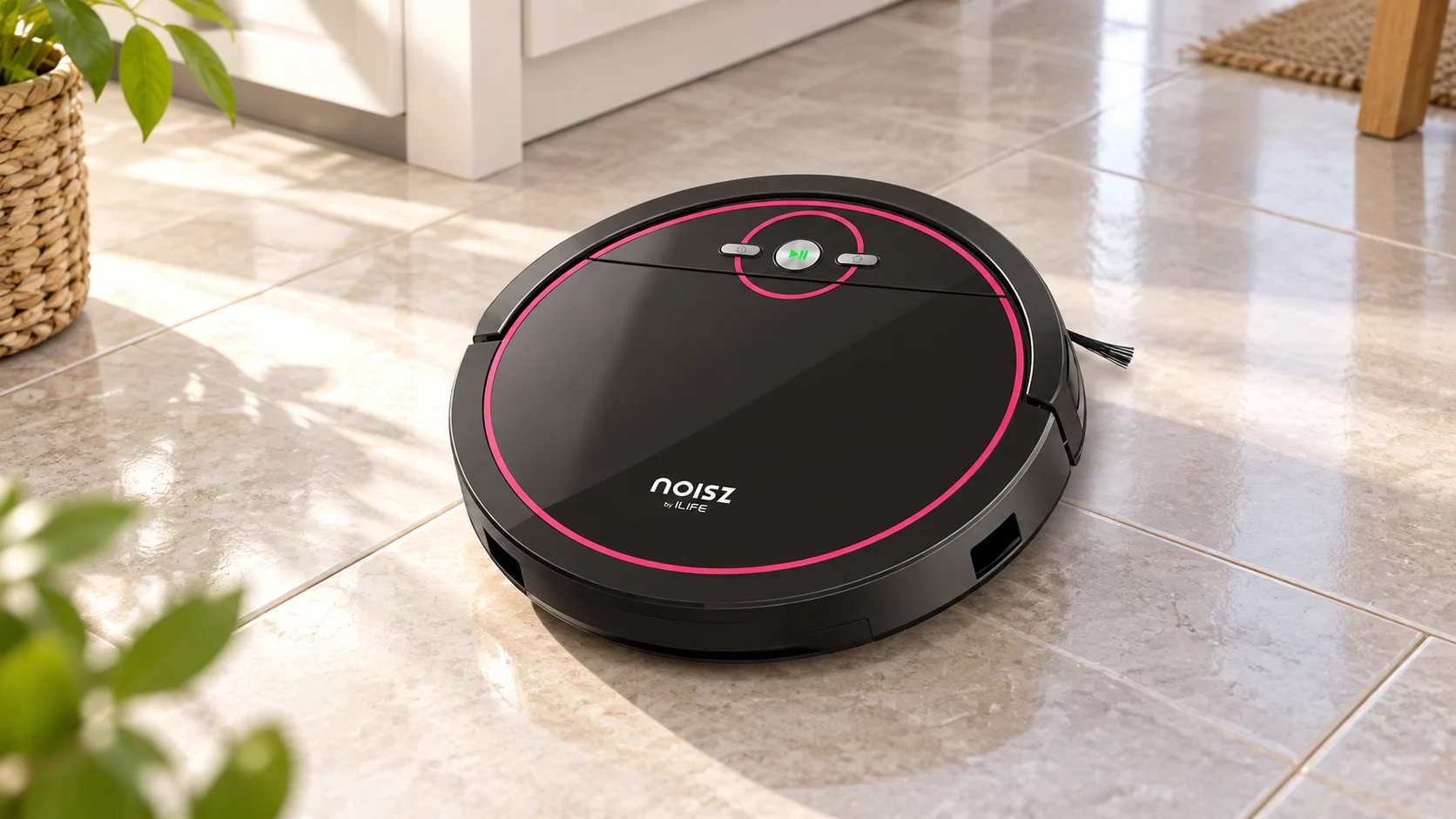
The NOISZ by ILIFE S5 Pro is a basic robot vacuum and damp-mop system controlled primarily with its buttons and handheld remote. Its appeal is straightforward operation without depending on app-based room maps. Buyers should understand the manual tank and mop routine, the reactive navigation and the difference between a high-efficiency filter and a fully sealed filtration system.
Review basis: This assessment uses manufacturer information and model-specific buying analysis. Advertised suction and runtime figures are not independent pickup or battery test results.

Quick verdict: who should buy the NOISZ by ILIFE S5 Pro?
The S5 Pro is worth considering for an owner who wants simple local control and routine hard-floor pickup, with occasional light wiping where moisture is permitted. It is a poor fit if the purchase depends on smartphone room selection, voice commands, precise virtual boundaries or deep stain removal. Confirm that the exact S5 Pro package includes the remote, ElectroWall and mopping components you need.
Key features and model details
- NOISZ by ILIFE S5 Pro: distinguish it from the vacuum-only S5
- Handheld remote and on-device controls
- Reactive navigation rather than LiDAR mapping
- Dry vacuuming with separate damp-mopping setup
- ElectroWall physical boundary accessory in supported packages
- Side brushes gather debris toward the intake
- Manual dustbin emptying and filter care
- Charging dock; not an automatic dirt-disposal station
- Dry, accessible hard floors are the main use case
Pros
- Simple remote-driven operation
- No need for app-based room setup for basic cleaning
- Can collect loose debris on accessible hard floors
- ElectroWall helps define a supported physical boundary
- Separate damp-wiping option
Cons
- No LiDAR room mapping or app-drawn no-go areas
- Manual tank changes and mop cleaning
- Limited role for embedded carpet dirt
Local controls instead of a smartphone floor plan
The S5 Pro’s remote is its main everyday control tool. It allows the owner to use the functions described in the supplied manual without assuming a smartphone app provides room maps. Keep the remote and any required batteries accessible, and establish how scheduling works on the exact unit.
Do not confuse this model with newer connected ILIFE products. There is no basis for promising Alexa, Google Assistant, app notifications or geofenced boundaries simply because the robot is described as smart. Those features materially change a buying decision and must be present on the exact model, not borrowed from the brand’s wider range.
Reactive movement is useful for routine pickup in a prepared room, but it can revisit the same area and miss an accessible patch during one session. Spot and edge functions, where provided, change the cleaning pattern; they do not create a persistent editable floor map.
The ElectroWall is a separate physical boundary device used according to the instructions. Check its inclusion and power requirements. Bumpers help respond to contact, while cliff sensors look for drops. Neither should be described as complete obstacle recognition, and a chair leg, loose cord and pet accident are very different challenges for a robot.
Dry pickup on hard floors and suitable rugs
The S5 Pro is most realistically used to collect loose dust, crumbs and hair from accessible hard flooring. The side brushes direct debris toward the intake. It should not be expected to match a powered upright for dirt embedded deep in a rug or carpet.
Check edges and coarse debris after early runs. A spinning side brush can move a particle before the intake reaches it, and loose fringe can catch in moving parts. If a particular mat repeatedly stops the robot, remove or block it rather than expecting more suction to solve a mechanical obstruction.
Mopping requires a different routine
The damp-mop function uses its own water and cloth components. Follow the manual’s tank-change procedure instead of assuming the robot performs a fully automatic vacuum-to-mop transition. Fit the correct parts, prepare the cloth as instructed and keep the job on floors that permit damp cleaning.
A pad drawn across the floor is a maintenance wipe. It does not wash carpet, extract a puddle or guarantee removal of dried stains. Keep rugs out of the wet route. Afterward, remove remaining water, wash the pad and let the components dry before storage; leaving a dirty damp cloth attached undermines the convenience of the cleaning run.
Battery life, docking and room size
The useful battery time depends on the mode, floor resistance and the age of the battery. A maximum advertised duration should not be converted into a guarantee of complete coverage, because reactive navigation does not spend every minute on a previously untouched section of floor.
Place the dock with the clearance specified in the manual and test the return route. A robot can search for its base yet still need help if furniture or a narrow passage interferes. On older stock, check that the battery holds a useful charge and that charging contacts make a reliable connection during the return period.
Filter care and realistic allergy claims
The filter collects fine debris carried through the robot, but that does not establish that the whole machine is a certified sealed HEPA system. Avoid treating filtration language as a promise of allergy relief or claiming that no particles can escape during emptying.
Check the filter’s cleaning instructions before washing it. Empty the bin into a suitable waste container, keep the filter correctly seated and replace damaged media. The robot body and electrical openings should stay dry even when a removable mop cloth or permitted tank component can be washed separately.
Maintenance, accessories and purchase condition
Inspect side brushes and the front wheel for wound hair, clean the intake and dust the sensing surfaces. Check the ElectroWall and remote as part of the cleaning system: missing local controls or a nonworking boundary accessory changes how usable an older package will be.
Before buying, confirm the full model label, mop fittings, charger, battery condition and availability of replacement filters and brushes. A low price on an incomplete unit may leave you searching for model-specific parts. A straightforward working package with a clear return policy is more useful than a long list of unverified features.
S5 Pro functions and their practical limits
| Item | What to expect |
|---|---|
| Control | Remote and on-device functions; no promised app or voice mapping |
| Navigation | Reactive movement; prepare and contain the cleaning area |
| Mopping | Separate water-and-cloth setup for permitted hard floors |
| Boundaries | Use the compatible ElectroWall as instructed |
| Dock | Charging only; empty the robot bin manually |
| Filtration | Maintain the fitted filter; do not assume whole-machine sealed HEPA |
| Ownership | Check battery, remote and exact replacement accessories |
Alternatives and the buying decision
The Lefant M210 Pro adds a connected-control approach, while the Shark AV752 ION uses a main brush and app scheduling for dry vacuuming. Neither comparison makes the S5 Pro a mapped robot. Choose according to the control method, flooring and maintenance routine you can actually use.
Setting up a routine that a robot can finish
The NOISZ S5 Pro's remote-driven controls are useful for someone who wants local operation rather than app-drawn rooms. Keep the remote accessible; simple hardware controls are only convenient when the intended user can find and operate them.
Its ElectroWall accessory is a physical boundary system, not a saved virtual map. Check that the actual package contains the matching component before planning a room layout around it.
What to budget for after purchase
Dry vacuuming and damp mopping use different collection arrangements. Changing the tank and caring for the cloth remain owner tasks; the presence of a mop does not turn the S5 Pro into a stain-scrubbing floor washer.
Distinguish S5 Pro from the vacuum-only S5 when checking accessories or replacement parts. An older unit's condition and correct charger matter more than a broad NOISZ family description.
Related reading and purchase options
Further reading: cleans vinyl tile.
Further reading: HEPA filter.
Further reading: how to use the iLife robot vacuum.
Related guides and reviews
This model fits the local-control discussion in our robot vacuums without Wi-Fi guide. For setup principles, see how to use an ILIFE robot vacuum, while following the S5 Pro’s own manual for its specific controls. Browse other models in the reviews hub.
Frequently asked questions
Does the NOISZ S5 Pro support app room mapping?
This review does not attribute app room mapping to the S5 Pro. Its remote, buttons and physical boundary accessory are the relevant controls.
Can its mop clean carpet?
No. Keep the damp cloth on compatible hard floors and away from rugs and carpet.
Does it automatically empty its dustbin?
No. The charging dock charges the robot; the owner empties and maintains the bin.
Final verdict
The S5 Pro is worth considering for an owner who wants simple local control and routine hard-floor pickup, with occasional light wiping where moisture is permitted. It is a poor fit if the purchase depends on smartphone room selection, voice commands, precise virtual boundaries or deep stain removal. Confirm that the exact S5 Pro package includes the remote, ElectroWall and mopping components you need.
Sources and review method
ILIFE’s S5 Pro package information and the manufacturer owner document were checked for controls, accessories and wet/dry use. ILIFE S5 Pro product information; S5 Pro manufacturer owner document. Specifications and bundles can differ by region or production revision; match the rating label and supplied manual to the exact unit.

Abi Khan is the founder and a content writer at GlobVacs. His published work covers vacuum-cleaner buying guides, product comparisons and practical maintenance advice. Read his author profile and selected articles.