
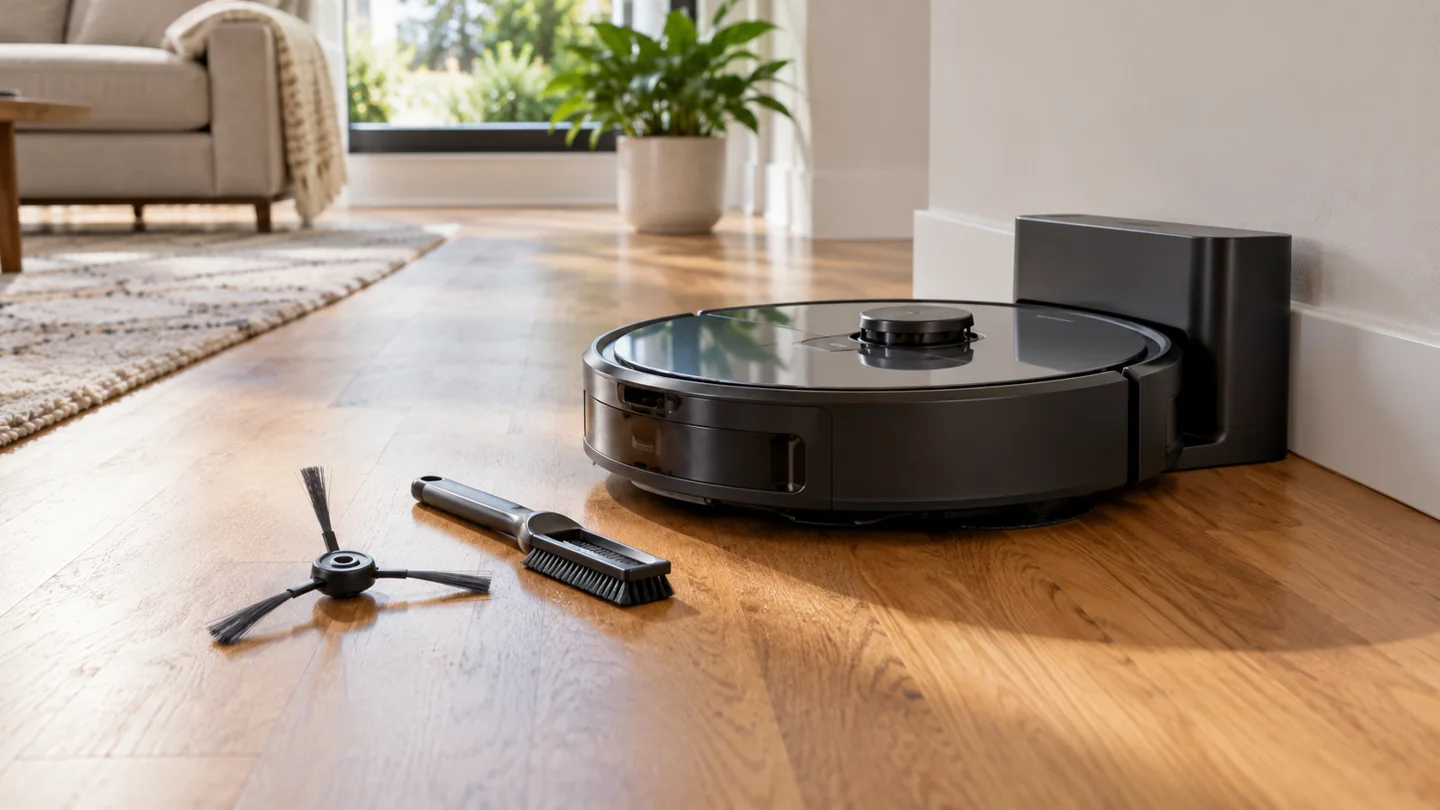
Improve a robot vacuum’s usable battery time by maintaining its wheels and cleaning system, preparing a route it can finish, choosing effective permitted settings, and following the manufacturer’s charging and storage instructions. These steps can reduce avoidable interruptions, but they cannot restore a worn battery to new condition or guarantee a particular runtime.
First distinguish runtime from battery lifespan. Runtime is how long the robot works on one charge. Lifespan is how long the battery remains serviceable over repeated use and aging. A better route can improve the work completed in a session without reversing battery aging.
Find out what “short battery life” means
| Symptom | What to investigate |
|---|---|
| Robot never appears fully charged | Charging status, alignment, contacts, correct dock, and errors |
| Charges fully but cleans briefly | Settings, route, maintenance, temperature, and battery condition |
| Stops in the same place | Furniture, threshold, tangle, or sensor response |
| Returns to charge then resumes | Normal supported behavior versus an actual fault |
| Swelling, leakage, smoke, or unusual heat | Stop use and charging; contact the manufacturer or emergency services where needed |
Do not order a battery solely because a large job includes a recharge. Check whether the robot is completing its intended task normally.
1. Start with a trustworthy comparison
Compare the same rooms, floor conditions, suction mode, pass count, and mopping configuration across several normal runs. Record whether the robot started fully charged and whether it needed rescue or spent time trying to dock.
A manufacturer’s maximum runtime can use conditions unlike your normal carpet route. Stronger suction, powered cleaning, frequent turns, and other features can change the result. Do not treat one quoted maximum as a guarantee for every session.
Separate active cleaning time from total job duration. A supported recharge-and-resume pause can make elapsed time much longer without indicating that the battery failed. See robot cleaning-time estimates.
2. Keep wheels and brushes moving as intended
Switch the robot off by its maintenance procedure before checking accessible components. Remove hair and thread from the roller, permitted end areas, side brushes, and wheels. Check the caster for grit and the underside for damage.
A robot struggling against a tangle or repeatedly spinning at an obstacle can complete less useful work. Maintenance is about restoring intended operation, not making a general promise that every cleaned component adds a set number of minutes.
Follow the exact removal procedure. Do not force a wheel out, cut near wiring, wash a powered assembly, or lubricate parts unless the manual calls for it. Use the robot-maintenance guide alongside the model instructions.
3. Maintain the bin, intake, and filter
Empty the bin at its stated limit and check accessible intake paths. If the robot has an auto-empty dock, confirm that transfer actually occurs and that the dock container or bag is not full.
Clean or replace each filter by its own instructions. Do not wash a nonwashable element or run without a required filter to reduce resistance. Correct airflow and containment are part of the intended system.
If pickup remains poor, resolve the cause rather than scheduling extra passes over the same debris. An obstructed intake or worn cleaning component can make every session less useful.
4. Remove route problems before adding more runs
Pick up cables, socks, loose packaging, and small objects. Address known furniture traps and incompatible rug edges. Keep the dock’s approach clear and stable.
Use supported room selection or compatible boundaries to focus on areas that need cleaning. Do not create a smaller reported task by excluding dirty areas you still need cleaned; account for the remaining manual work.
A robot repeatedly stuck under a chair has a route problem to resolve. Read unexpected stopping troubleshooting before treating every interruption as battery degradation.
5. Use the lowest setting that actually does the job
Where the model provides suction choices, try an appropriate lower setting for ordinary compatible debris and inspect the result. Reserve stronger settings for situations that need them, following the floor’s care requirements.
Do not sacrifice pickup just to report a longer runtime. Two ineffective passes can be less useful than one appropriate pass. The goal is completed cleaning, not the longest possible motor-on time.
Check automatic carpet modes and repeated-pass settings. A changed mode may explain a shorter session without any change in battery health.
6. Follow charging instructions rather than battery myths
Use the correct dock, charger, and compatible battery. Keep charging contacts in the condition specified by the manual and follow its temperature limits. A connector fitting physically does not establish electrical compatibility. For an iRobot model, check our Roomba charging-time guide to distinguish expected charging duration from a contact, dock or battery fault.
Do not automatically unplug every robot after it reaches full charge. iRobot’s battery-maintenance guidance recommends keeping supported robots charging on their base when not in use. Roborock’s robot-dock guidance also addresses remaining connected. Use the instructions for your exact product.
Do not deliberately run a battery completely flat as a universal conditioning method. Battery chemistries and management systems differ, especially across older models. Follow the documented procedure.
7. Treat long-term storage separately
A robot left unused for weeks or months may need a storage mode or another model-specific process. Read whether the manufacturer calls for ship mode, battery removal, periodic charging, or particular conditions.
Do not store charging equipment in damp locations or expose the robot to temperatures outside its limits. Do not put a warm pack in a refrigerator or freezer to cool it. Use the manufacturer’s allowed environment.
Record the storage procedure so the next person does not mistake a disabled schedule or sleeping robot for a fault. Reactivate it according to the manual before comparing runtime.
8. Replace a battery only when the diagnosis supports it
If comparable full-charge runs remain much shorter after appropriate maintenance and charging checks, contact support about battery assessment. Confirm availability, compatibility, warranty, and the permitted installation procedure.
Do not substitute an unverified higher-capacity pack or open the battery casing. A new battery will not fix damaged charging contacts, a faulty dock, or a failing wheel assembly.
Recycle the old pack through an accepting battery or electronics service. Do not place lithium-ion batteries in household trash or curbside recycling. Our robot disposal guide explains the handling questions.
Frequently asked questions
Will switching off Wi-Fi make the battery last much longer?
No general runtime improvement is established here. Cleaning load, settings, route, and battery condition matter. Do not disable a needed feature based on an unsupported percentage claim.
Should I replace the whole robot when runtime drops?
Not automatically. Assess charging, maintenance, settings, and repair options. A compatible replacement battery may be practical if the rest of the machine remains sound.
How can I plan the next session?
Use a route and frequency based on actual debris and reliable completion. Our robot scheduling guide helps organize that routine.
Improve useful work before chasing a runtime number
Maintain the robot, remove avoidable route problems, choose effective settings, and follow its charging instructions. If a consistent decline remains, diagnose it before replacing parts.
Further reading
Kenmore DU2015 Bagless Upright Vacuum Cleaner Review

Abi Khan is the founder and a content writer at GlobVacs. His published work covers vacuum-cleaner buying guides, product comparisons and practical maintenance advice. Read his author profile and selected articles.