
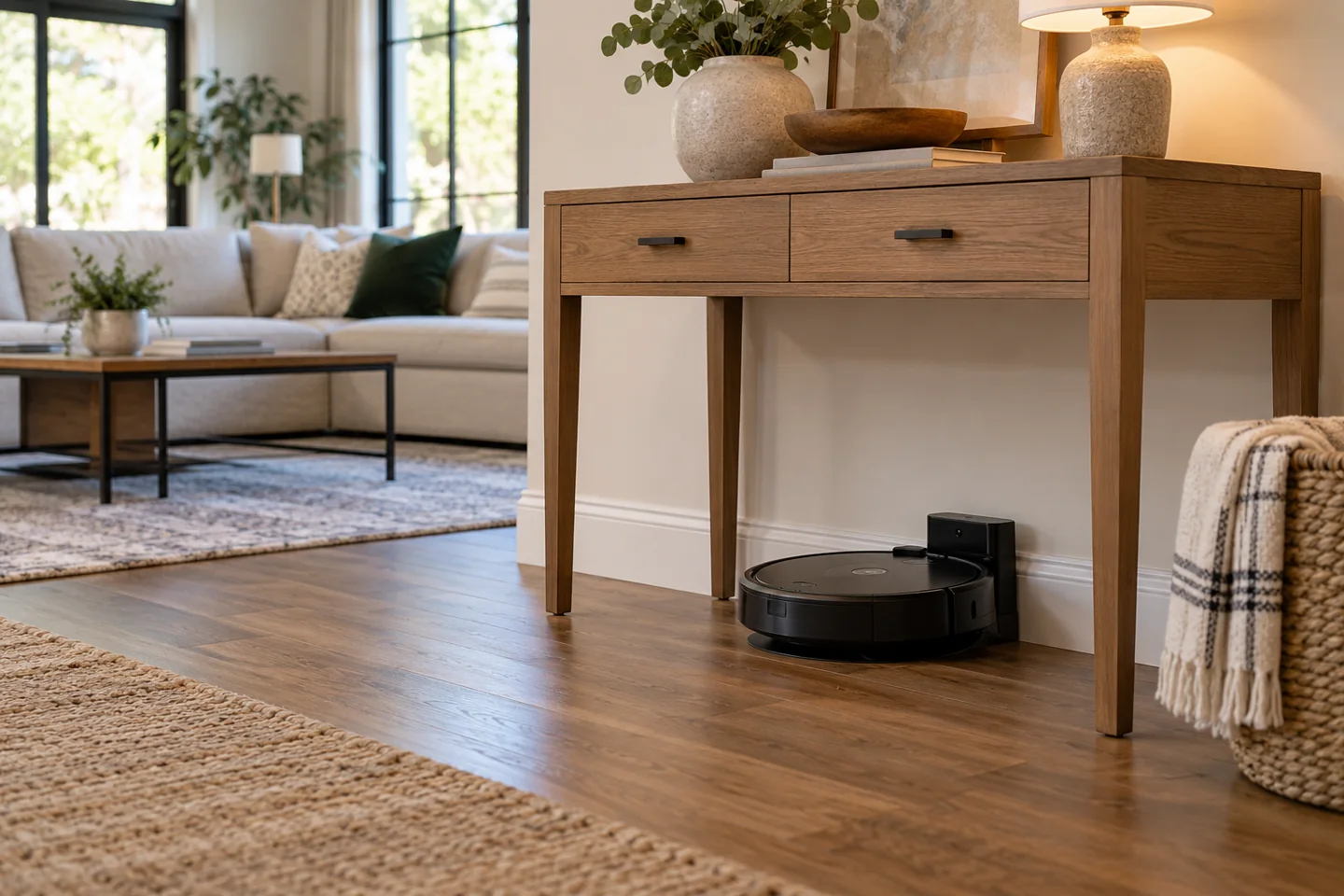
The best way to hide a Roomba is to choose a discreet location that still meets its dock-clearance, access, electrical, and ventilation instructions. A robot that physically fits inside a cabinet may be unable to dock, leave, receive a signal, or let you service the station. An enclosed toy chest or storage ottoman is not a suitable default operating location.
First decide whether you want a working dock out of the main sightline or a place to store a switched-off robot temporarily. These are different tasks. The 12 locations below are possibilities to evaluate, not approvals for every model or home.
Start with the dock, not the robot’s diameter
Measure the complete station and the clearance it needs in front, beside, and above. Auto-empty or water-handling stations may need lid-opening space, tank access, bag changes, and airflow. Include the power cable route and the robot’s normal turning path.
iRobot’s dock-placement guidance specifies clearances and separation from stairs for the products covered. Use the matching model’s diagram. Do not assume the space needed by a small basic base is sufficient for a taller multifunction station. Our guide to Roomba stair-fall risks explains the limits of cliff sensors and why a dock location still needs separation from a drop.
Keep the station on the specified level surface and away from wet areas. A discreet location that causes repeated failed docking is not a useful solution.
12 places to consider carefully
1. Beneath an open console table
An open console can move the dock out of the main sightline while preserving a front approach. Measure leg spacing, underside rails, and height. The station must remain serviceable, and furniture must not obstruct its required clearance.
2. Beside an entryway sideboard
A sideboard can screen the dock from one viewing angle without enclosing it. Keep the robot’s approach out of the main walking route and away from a stair edge. Check for entrance grit and moisture before runs.
3. A dry utility-room floor area
A utility room can provide practical access for maintenance. Keep the dock away from spills, plumbing leaks, stored chemicals, and items that can fall onto it. The door must allow the intended route when cleaning begins.
4. A dry section of a laundry room
Use only a location where the charging equipment stays dry and clear of appliance movement, hoses, and laundry piles. Avoid placing the station beneath a likely drip point or where baskets repeatedly block the robot.
5. Along an office wall outside the desk zone
A quiet wall can be less visible than the living-room center. Keep it away from loose charging leads, rolling-chair paths, and a desk opening that traps the robot. Check that the station noise fits work calls.
6. Along a bedroom wall away from the bed route
This can work where the dock has adequate clearance and will not be kicked during nighttime movement. Plan schedules around sleep, including any auto-empty noise. Do not hide cables beneath a rug.
7. A sufficiently wide hallway alcove
An alcove can recess the station visually, but it must not narrow a needed passage or create a trip hazard. Check the robot’s approach and service access rather than measuring only the empty recess.
8. An open utility alcove near a pantry
Keep cleaning equipment separate from exposed food and prevent containers from falling into the route. A cupboard door that stays closed during the scheduled run defeats the setup. Avoid a cramped food-storage shelf as a charging location.
9. A purpose-designed open-base cabinet
A suitable cabinet can screen the station while leaving the required opening and service space. Confirm the product’s intended use and both manufacturers’ requirements. Do not cut ventilation or electrical openings without appropriate design and installation.
10. Behind a sofa with a genuine open approach
There must be more than enough space to slide the robot in by hand. Check the complete dock clearance, turning route, cable access, and maintenance reach. A narrow hidden gap can create repeated docking failures.
11. Under a bed where the whole setup is permitted
Measure the lowest rail and any sloping section, including the robot’s raised sensors. A tall dock often makes this impractical. Consider whether reaching underneath to service it is comfortable and whether bedding can block the station.
12. Under a sofa only after a full clearance check
This is a conditional option rather than a general recommendation. Upholstery, crossbars, and changing load can reduce the gap. If the robot fits but the station lacks clearance or access, choose another location.
Compare the important constraints
| Location type | Main benefit | Main concern |
|---|---|---|
| Open furniture or side-wall screening | Less visible while retaining access | Required approach and service clearance |
| Utility or laundry area | Convenient maintenance location | Water, clutter, chemicals, and closed doors |
| Bedroom or office | Outside the main living-room sightline | Noise, cords, and daily use of the space |
| Cabinet or under-furniture setup | More concealed | Ventilation, signal path, full height, maintenance, and reliable exit |
Places that should not be default charging recommendations
Do not charge or operate the robot in a sealed storage ottoman, toy chest, tightly closed box, wet cupboard, unstable shelf, or area where the station’s instructions are not met. A soft covering draped over the robot or dock can obstruct airflow, sensors, or movement.
Keep a dock off an elevated shelf unless the manufacturer specifically designs the arrangement for it. An ordinary floor robot needs a safe floor-level route, not an improvised platform.
Do not run power cables through sharp edges, close doors on them, or hide damage behind furniture. Keep the plug or required isolation point accessible.
Temporary storage is different
If you need to put a switched-off robot away for a gathering, follow its shutdown and storage instructions. Do not leave it scheduled to start in a closed compartment. For longer storage, the battery procedure may differ from normal docked use.
iRobot’s battery-maintenance guidance distinguishes routine charging from extended inactivity. Use the exact model’s procedure and remember to restore the normal setup before the next job.
Our vacuum storage guide covers the broader equipment-storage decision.
Test the location through a normal cleaning cycle
- Confirm the manual’s clearance, floor, electrical, and safety requirements.
- Place the dock securely and route its cable safely.
- Allow a normal departure and return rather than positioning the robot by hand each time.
- Check access for emptying, tank removal, bags, and cleaning.
- Watch for repeated searches, wheel spinning, scraping, or furniture contact.
- Keep the location only if it remains reliable during ordinary use.
Do not choose a hidden setup that requires crawling under furniture after every run. A more visible but accessible station may save more work.
Related setup problems
If the robot gets trapped under furniture, use the clearance and exclusion guide. If it stops or cannot return, read robot stopping troubleshooting.
Keep the robot and dock maintained with the component care routine. Hiding the station should not make necessary maintenance difficult.
Frequently asked questions
Can I close a cabinet door during charging?
Only use a setup that the equipment and cabinet instructions permit. Do not assume a tightly enclosed compartment is acceptable because the robot is not moving.
Does Wi-Fi coverage guarantee docking?
No. Docking also depends on the model’s sensing, alignment, approach space, and physical setup. A strong phone signal does not remove those requirements.
Can I move the dock for every run?
Follow the model’s instructions. Repeated relocation can affect navigation or mapping. A stable practical location is usually easier to manage.
Discreet placement must still work
Screen the station from view only after preserving its operating space, safe power connection, and maintenance access. The best location is one the robot can use reliably and you can service comfortably.

Katy James contributes vacuum-cleaner explainers and practical cleaning guidance at GlobVacs. Her published topics include robot-vacuum operation and vacuum airflow. Read her author profile and selected articles.