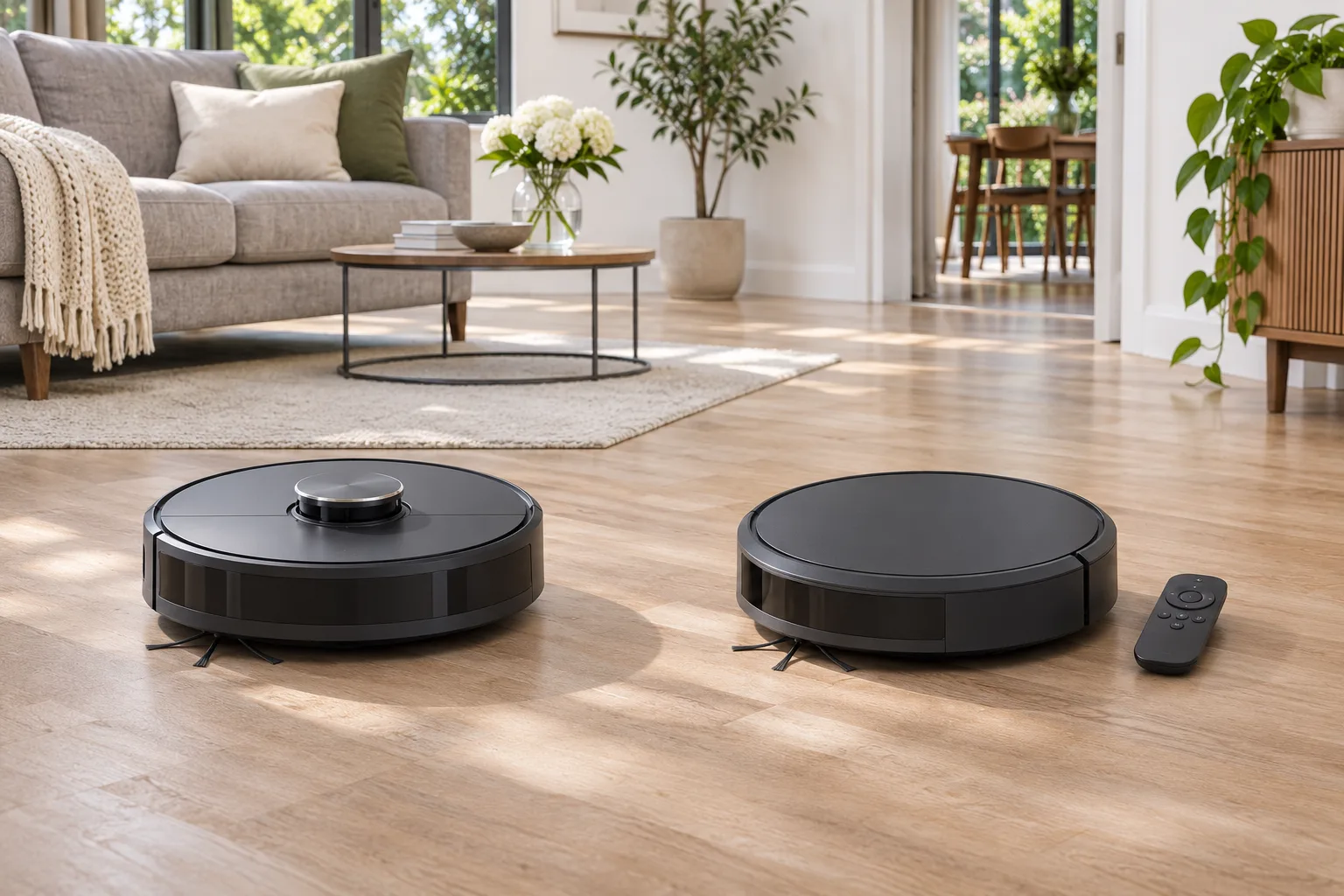
Quick verdict: In a LiDAR vs gyroscope robot vacuum comparison, households that want room-by-room control, saved maps, and predictable coverage will find that a LiDAR robot such as the original Roborock Q5 offers the stronger navigation features. For a smaller, mostly open home where a simple remote and straightforward routine matter more than room maps, a gyroscope-assisted model such as the Roborock E5 may be sufficient. Neither navigation type guarantees better dirt pickup, pet-waste avoidance, or freedom from tangles. Compare the complete model, not its navigation label.
This LiDAR vs gyroscope robot vacuum comparison is about how robots find their way around a home. The Q5 and E5 are useful established examples, not a claim that either is the best currently stocked model. Check retailer inventory, warranty coverage and consumables for your location before buying.
LiDAR vs Gyroscope Robot Vacuums: Comparison Table
| Decision factor | LiDAR navigation: original Roborock Q5 | Gyroscope-assisted navigation: Roborock E5 |
|---|---|---|
| Navigation hardware | PreciSense laser distance sensing and mapping | Gyroscope and OpticEye-assisted movement tracking |
| Saved room map and room-specific routines | Documented Q5 features | Not equivalent to Q5’s persistent mapped-room controls |
| Low-light operation | Laser-based room sensing is less dependent on ambient light | Follow exact model’s sensor and lighting guidance |
| Remote control | App-based room and map features | MagBase handheld remote included with E5 |
| Manufacturer-rated maximum suction | 2,700 Pa | 2,500 Pa |
| Maximum runtime, manufacturer claim | Up to 180 minutes under specified conditions | Up to 200 minutes in silent mode without the mop module, per the regional E5 page |
| Best fit | Multiple rooms and users who value map controls | Basic routine cleaning and users who value a physical remote |
| Main limitation | Map precision does not mean small-object recognition | Less granular room-specific navigation controls |
The ratings above come from Roborock’s own product pages and are not independent measurements. Different test conditions mean the runtime and suction figures should not be treated as a head-to-head cleaning-performance score. Q5 manufacturer specifications; E5 manufacturer information; E5 versus E4 support note.
What LiDAR Mapping Changes in Daily Use
A LiDAR robot measures distances to surrounding surfaces and combines those observations with movement tracking to build a usable floor plan. On the original Q5, Roborock documents PreciSense LiDAR, 3D mapping and customizable routines. The practical advantage is not simply a neat map on a phone. It is being able to choose a particular room, define an exclusion area, and repeat a route without relying solely on a timer.
That is valuable in a multiroom home where the kitchen needs a daily pass but a guest bedroom does not. It is also useful when a robot repeatedly wastes time entering an area you would rather exclude. A mapped boundary can be easier to maintain than moving physical barriers each day. However, app features depend on model, firmware and connectivity; check the exact product before assuming a feature is included.
LiDAR has limits. A scan plane can overlook a charging cable, a soft sock, a low toy or an object beneath the scanner’s line of sight. The Q5’s LiDAR does not establish camera-based pet-waste recognition. For that separate distinction, see LiDAR vs camera robot vacuums.
A gyroscope senses changes in orientation. Combined with wheel movement information and other sensors, it can help a robot organize its travel better than purely reactive bouncing. It is not the same as a laser scan of room geometry. Some gyroscope-based robots follow deliberate patterns yet lack a persistent map that supports precise room selection and virtual no-go zones.
The Roborock E5 illustrates this middle ground. Roborock describes an internal map used to track cleaned and uncleaned areas; this is different from a user-editable, saved room map. A cleaning-path display or internal coverage estimate does not by itself establish support for room selection or virtual exclusion zones. Its navigation combines a gyroscope with OpticEye movement tracking. Roborock’s support information confirms the E5’s 2,500 Pa maximum suction claim and included MagBase remote. The regional product page also describes app control, so do not mislabel the E5 as a completely non-Wi-Fi model. The remote is a convenient control option, not proof that every feature works offline.
If your home is compact, open and relatively uncluttered, the difference between advanced map editing and a straightforward cleaning cycle may matter less than whether the robot fits under furniture and collects your everyday debris. The E5 is an example of the simpler approach, but availability and parts for older generations must be checked rather than assumed.
For the hardware, maintenance and ownership details of these examples, read our Roborock Q5 review and Roborock E5 review.
Several rooms with doors and separate cleaning schedules
Prioritize saved maps, room selection and repeatable zone control. This is the situation in which the original Q5’s documented map functions are most useful. Consider how often doors close, whether you need different schedules by room, and whether the robot can physically cross every threshold. A map cannot overcome an unsuitable doorway lip. See can robot vacuums cross bumps?
A simple apartment with mostly clear floors
A simpler gyroscope-assisted robot may be enough if you are happy to start a whole-area clean and check the result. The key tradeoff is less precise control over which part of the floor gets cleaned next. Do not pay for elaborate mapping just to use a single start button, but do not assume a cheaper robot will navigate a crowded apartment as efficiently.
Homes with pets, cables and toys
Neither LiDAR mapping nor a gyroscope alone identifies every floor hazard. The relevant upgrade is a documented obstacle-recognition system, and even that needs preparation and supervision. Keep cords and pet accidents off the floor before cleaning. Evaluate brush design and bin maintenance separately from navigation.
Low furniture and narrow gaps
Measure the actual robot height and the furniture clearance. A raised LiDAR turret may prevent entry under some sofas, while a flatter robot might fit. That benefit is useless if the robot gets trapped beyond the opening. Confirm the model’s height, obstacle crossing limits and first-run behavior rather than choosing by appearance alone.
Dark hallways and nighttime schedules
Laser distance sensing is generally less reliant on room lighting than camera-based localization, but gyroscope-assisted robots can also use nonvisual movement sensing. Do not conclude that every LiDAR model or every gyroscope model behaves identically at night. Dock placement, obstacle sensors and any optical tracking hardware still matter.
A robot can cover a room efficiently and still leave debris in a thick carpet. Brush agitation, airflow, filtration, edge design and maintenance determine what happens after the robot reaches a spot. The original Q5’s advertised 2,700 Pa and E5’s advertised 2,500 Pa are manufacturer figures, not evidence that one picks up a particular mess better. Differences in measurement and operating conditions limit direct comparisons.
If carpet is the main challenge, review whether robot vacuums work on carpet. For households considering a robot as their only vacuum, see robot vacuum vs cordless vacuum. Navigation is one component of a sensible purchase.
A Practical Buying Checklist
- Draw a quick floor plan and note the rooms you want to clean separately. If room selection is essential, verify saved-map features on the exact model.
- Measure under-furniture clearance, doorway lips, rug edges and the route back to the dock. Physical access comes before software features.
- List common obstacles and check the manufacturer’s specific detection claims. Never assume LiDAR or gyroscope sensing alone detects small hazards.
- Confirm the control method you will use. A physical remote, onboard button and phone app can have different feature sets.
- Check brush and filter replacement availability, warranty, return policy and whether the exact model is still sold in your market.
- Compare the delivered package rather than a model-family name: charging docks, self-emptying docks and included accessories can vary.
- During the first week, observe several normal runs, note missed areas and interventions, and check the actual floor instead of judging the map alone.
Is a LiDAR Upgrade Worth the Extra Cost?
It is worth considering when you regularly need to send a robot to one room, avoid specific areas, or monitor coverage in a complex layout. If you already prepare one open floor and simply want an automated pass, a simpler navigation system can be rational. Consider total ownership cost, consumables and the likelihood of buying an older model with limited local support.
Do not confuse navigation with internet connectivity. Some buyers prioritize local controls and minimal app dependence. Those are separate questions discussed in Wi-Fi vs non-Wi-Fi robot vacuums and our non-Wi-Fi buying guide.
Frequently Asked Questions
Is LiDAR better than gyroscope navigation?
For mapped rooms, repeatable zone control and complex layouts, LiDAR is generally the more capable navigation approach. A gyroscope-assisted robot can still be useful for basic cleaning in a straightforward home. The actual feature list matters more than the label.
Can a gyroscope robot create a map?
Some models estimate movement and display a cleaning path, but that is not necessarily a persistent, editable room map. Check whether the exact robot supports saved maps, room selection and exclusion zones.
Does LiDAR mean a robot avoids cords and pet waste?
No. Laser-based room mapping and small-object recognition are different capabilities. Check explicit manufacturer support for the obstacle types you care about and clear hazards before cleaning.
Do LiDAR robot vacuums need Wi-Fi?
LiDAR sensing itself does not require Wi-Fi, but the map-editing and room-control functions on a particular connected robot may require its app and network. Check what remains available offline.
Does a higher Pa number mean better cleaning?
Not by itself. Cleaning also depends on the floorhead, brush, airflow path, debris, carpet type and operating mode. Manufacturer suction figures are not a substitute for relevant, repeatable cleaning evidence.
Is the Roborock E5 still a good buy?
It may suit a basic cleaning routine if the exact model, accessories and replacement parts are available at a sensible delivered price. We have not verified current retailer stock, so do not assume that an older listing is a current best buy.
Final Verdict
Choose a LiDAR robot when the value is in room-level control and dependable mapped routines. Choose a simpler gyroscope-assisted robot when a physical remote and ordinary whole-area cleaning cover your needs, and the price and support make sense. Neither approach is automatically better at debris pickup or obstacle recognition. Start with your floor plan and daily routine, then verify the precise model features.
Sources and Verification
- Roborock Q5 Series official specifications
- Roborock E5 official regional product page
- Roborock support: E5 versus E4

Abi Khan is the founder and a content writer at GlobVacs. His published work covers vacuum-cleaner buying guides, product comparisons and practical maintenance advice. Read his author profile and selected articles.