
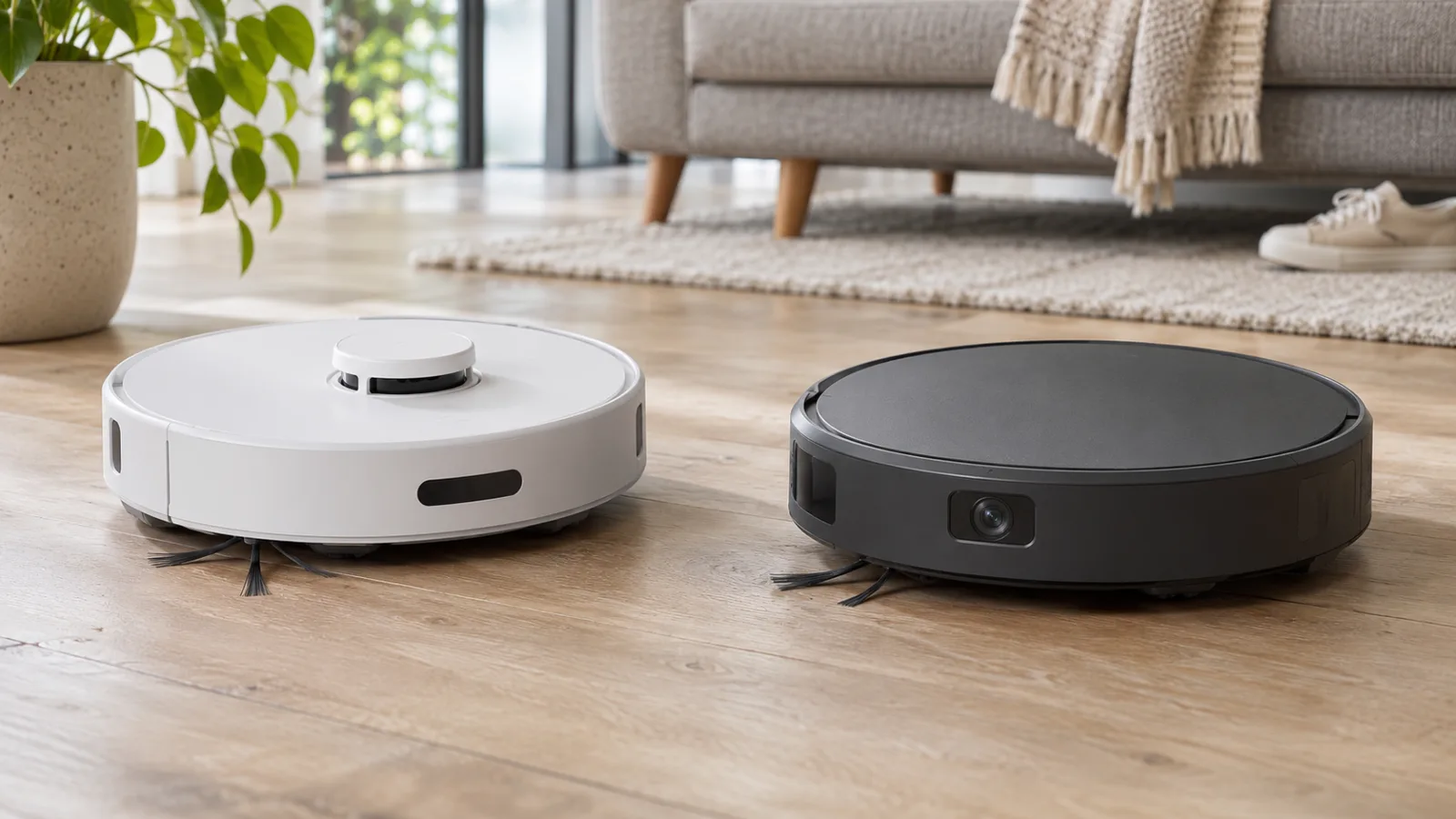
Quick verdict: When comparing LiDAR vs camera robot vacuums, LiDAR navigation is a strong fit for homes that want systematic mapping and cleaning in dim rooms. Camera-based navigation can add valuable visual object recognition, but the exact camera system matters more than the word “camera.” Neither technology guarantees a robot will avoid cables, pet accidents, or every small object. For a useful real-world contrast, the Roborock Q5 represents LiDAR mapping, while the iRobot Roomba j7 represents camera-assisted vSLAM with PrecisionVision object recognition.
This comparison is about navigation and everyday usability, not a claim that either example model is the best currently available robot vacuum. Both are established product generations; check local stock, support and replacement parts before purchasing.
LiDAR vs Camera Robot Vacuums: At a Glance
| Question | LiDAR mapping | Camera-based mapping / recognition |
|---|---|---|
| How it locates walls and furniture | Measures distances using laser light | Uses visual information and software to recognize features |
| Low-light mapping | Typically less dependent on room lighting | Performance varies; some need illumination |
| Cables and socks | Basic mapping LiDAR alone does not reliably identify small floor hazards | Models with dedicated object-recognition cameras may identify selected objects |
| Privacy questions | Mapping and app data still matter | Review image capture, transmission, retention and opt-in controls |
| Best buying question | Does the robot map reliably and clean my layout? | Does this exact model recognize the obstacles I leave on the floor? |
What LiDAR Actually Does
LiDAR (light detection and ranging) estimates distances to surrounding surfaces. A robot can combine those measurements with motion information to build a map and plan repeatable routes. The original Roborock Q5 uses PreciSense LiDAR navigation. Roborock lists 3D mapping, room-based routines, a 470 mL dustbin and up to 180 minutes of runtime under specified conditions. Those figures describe that particular Q5, not every robot labeled Q5, Q5 Pro, or Q5 Max+.
A LiDAR map is not a promise of visual recognition. A laser scanner may detect walls and larger furniture while missing a thin cable, a low sock, or an object outside the scanning plane. A robot with LiDAR plus a front camera or structured-light sensor may offer additional avoidance features; assess the complete sensor package, not a single acronym.
Visual simultaneous localization and mapping (vSLAM) uses camera observations and robot movement to estimate position. Some camera-equipped robots also run separate object-recognition software. The Roomba j7 is a concrete example: iRobot identifies vSLAM navigation and PrecisionVision recognition. Its support guidance lists cables and solid pet waste among objects supported by PrecisionVision. That is a model-specific feature, not something every camera robot can do.
iRobot says PrecisionVision is inactive during j-series training/mapping runs, so the floor should be cleared before those runs. Its front LED assists object viewing, but the company says it is not enough for the robot to operate in darkness. These details matter much more than a broad marketing claim that camera navigation is “smarter.”
Side-by-Side Product Examples
| Feature | Roborock Q5 (original) | iRobot Roomba j7 (original) |
|---|---|---|
| Navigation | PreciSense LiDAR | Camera-based vSLAM and PrecisionVision |
| Manufacturer-described strength | Mapping, room routines and planned routes | Visual recognition of selected floor obstacles |
| Pet waste / cord recognition | Not a documented Q5-specific visual recognition feature | Supported by PrecisionVision, subject to conditions |
| Dark-room consideration | Laser mapping is less dependent on ambient light | iRobot notes camera-based obstacle viewing cannot operate in darkness |
| Dock package | Q5 standard charging dock; Q5+ is a different self-emptying bundle | j7 standard dock; j7+ adds Clean Base self-emptying |
| Before buying | Confirm exact model, parts and local availability | Confirm exact model, parts and local availability |
Separate Mapping, Position Tracking, and Obstacle Recognition
Before comparing products, separate three jobs that marketing often groups together as “smart navigation.” Mapping describes the room layout. Position tracking lets the robot estimate where it is within that layout. Obstacle recognition concerns what an object might be and how the robot should respond to it. A good result in one job does not establish an equally good result in the others.
For example, imagine a charging cable left in the middle of a mapped bedroom. The robot may know exactly which room it is cleaning and still catch the cable. Conversely, a robot may successfully steer around a shoe while leaving an inconvenient strip of floor uncleaned beside it. The useful outcome is completed cleaning with an acceptable amount of preparation and intervention.
This is why “LiDAR versus camera” is not always an either-or choice. A product can use laser measurements for its room map and a separate camera for selected obstacles. A camera may also serve a different purpose, such as viewing or docking, so its presence alone does not prove that it performs every navigation function. Look for the manufacturer’s description of each sensor’s job.
For a broader explanation of brushes, sensors and charging, see how a robot vacuum works. Here, the buying decision is whether the navigation package solves the specific difficulties in your home.
Use Your Floor Plan to Decide What Matters
A tidy apartment with one troublesome doorway
In this home, recognizing dozens of object categories may be less useful than reliably reaching the bedroom and returning to the dock. Check the doorway, rug transition and furniture clearance as physical constraints. A navigation upgrade cannot make an oversized robot fit through a narrow gap. Compare the model’s documented clearance limits with measurements from your home.
Make the doorway part of the first supervised run. If it is the only route to an important room, repeated failure there matters more than an attractive map of the easy living-room floor. Our guide to robot vacuums and bumps explains that separate access question.
A family room that changes throughout the day
Start by listing the objects that actually interrupt cleaning: shoes, play items, loose charging leads, or fabric hanging from a sofa. Then compare those objects against the exact model’s documented recognition list. A general “AI avoidance” label gives you too little information for this decision.
Also consider what happens after an object is avoided. If the robot leaves a large area uncleaned, someone still needs to clear it and arrange another pass. Ask whether that workflow is manageable for your household. Avoidance can reduce a particular interruption without eliminating the preparation needed for a complete clean.
A home where most cleaning happens after bedtime
Distinguish a dim room from an unlit room. If a product’s guidance requires illumination, consider whether leaving a light on is acceptable before buying it. Do not assume that the robot’s ability to find its dock in low light establishes that every mapping or recognition function works equally well under those conditions.
Noise also belongs in this decision. Route planning, brush noise and a self-emptying cycle are different parts of the overnight routine. A navigation system that suits the lighting may still be a poor match for a bedroom-adjacent dock. Choose the cleaning time and dock location together.
A Supervised First-Week Comparison Checklist
You do not need a laboratory to assess whether a robot fits your rooms, but you do need a repeatable routine. Treat the following as a suggested home evaluation, not a claim that we have tested the example models side by side.
- Prepare the first map as instructed. Clear hazards, open the doors you want included, and place the dock according to the exact model’s guidance. Keep the dock in that position while evaluating normal runs.
- Record access before judging coverage. Note rooms or areas the robot cannot physically reach. Separate a threshold problem from a route-planning problem so you do not blame the wrong system.
- Repeat an ordinary cleaning task. Use the same accessible rooms and a comparable floor condition. Record whether it finishes, misses an important area, or needs rescue; do not judge it only by the route drawing.
- Try your normal lighting within the stated operating conditions. Check the hallway or room that matters most to you. Stop if the robot behaves abnormally rather than forcing a test outside the manufacturer’s guidance.
- Check the result on the floor. Look around chair legs, room edges and the dock approach. A completed job message is useful, but visible remaining debris tells you whether the actual routine meets your needs.
- Count interventions. Record rescues, remapping, moved obstacles and repeat passes. The better purchase is the one whose total routine you can sustain.
Never use real pet waste, live cables or other hazardous objects as test obstacles. Keep stair and drop areas protected according to the product’s instructions. Small-object recognition and cliff protection are separate functions.
What Is Worth Paying More For?
Set priorities before looking at bundles. If your current problem is missed rooms, prioritize reliable access and mapping. If the interruption is floor clutter, investigate documented recognition of that clutter. If you dislike emptying the bin, compare the dock package; changing the navigation label does not itself solve bin maintenance.
Compare the total package at the price available to you, including replacement consumables and the features you will actually use. Do not infer better cleaning from a higher advertised suction figure alone. Likewise, an older model at a discount is attractive only if its limitations, support and available parts fit your plans.
The original Q5 and j7 illustrate different approaches rather than a current best-buy shortlist. The regional j7 reference is useful for confirming its technology, but does not establish current US stock or price. Our full Roborock Q5 review covers that model’s cleaning hardware and ownership details without turning this technology comparison into another product review.
Privacy-sensitive households
A LiDAR robot is not automatically offline or private. Connected robots can store maps, usage data and account information regardless of whether they have a camera. Read the exact model’s privacy settings, app permissions and retention controls. If you want to avoid a cloud-connected app entirely, see our Wi-Fi vs non-Wi-Fi robot vacuum comparison and guide to robot vacuums without Wi-Fi. Navigation technology and internet connectivity are separate buying decisions.
Five Buying Checks That Matter More Than the Sensor Label
- Check obstacle claims by object type. A robot that recognizes shoes may not recognize pet waste, and performance may change with lighting or software updates.
- Verify mapping functions. Confirm room selection, multi-floor maps, virtual barriers and saved maps rather than assuming all mapped robots include them.
- Measure clearance. A raised LiDAR turret can affect whether a robot fits beneath low furniture. Compare the actual model height with your available space.
- Inspect the dock and consumables. Standard and “Plus” bundles often differ in automatic bin emptying; bags, brushes and filters create ongoing costs.
- Check support and stock. Older examples can remain useful, but current inventory and replacement-part access vary by region. Avoid paying a premium solely for a navigation acronym.
A beautiful map cannot compensate for a poorly matched brush, clogged filter, inadequate carpet pickup or insufficient edge cleaning. Compare the floorhead, suction system, brush maintenance and battery behavior separately. If your home mixes vinyl and rugs, our article on robot vacuum compatibility with vinyl floors addresses surface care. If you’re deciding whether a robot is worth buying at all, read robot vacuum vs cordless vacuum.
Frequently Asked Questions
Is LiDAR better than a camera for robot vacuums?
LiDAR is often a practical choice for consistent room mapping and lower-light navigation. Camera-assisted object recognition can be more useful for identifying particular small hazards. Compare exact models rather than declaring one sensor universally superior.
Can a LiDAR robot avoid pet waste?
Not reliably from LiDAR mapping alone. Choose a model that explicitly documents pet-waste detection, and still clear the floor when practical.
Do camera robot vacuums work at night?
Some have supplemental lighting or other sensors. Others have limitations; iRobot specifically notes that the j-series PrecisionVision LED does not allow operation in darkness. Verify the model and feature.
Is a LiDAR robot vacuum always camera-free?
No. Many robots combine LiDAR with cameras or other obstacle-detection sensors. Read the complete specifications.
Does a LiDAR robot need Wi-Fi?
LiDAR itself does not require Wi-Fi, but a particular robot may need a connected app for maps, zones, routines or setup. Check the exact product’s offline behavior.
Final Verdict
Choose a LiDAR-first robot if reliable layout mapping and lower-light route planning are your main priorities. Choose a camera-assisted model with verified obstacle recognition if your floor regularly contains small items you cannot always clear. For the best of both, investigate models that combine navigation and dedicated object avoidance, then judge them on cleaning performance, support and real-world usability—not sensor count alone.
Manufacturer References
- Roborock — Q5 official product information
- iRobot — PrecisionVision operation and limitations
- iRobot — Roomba j7 product specifications
- Roborock — privacy and security information

Abi Khan is the founder and a content writer at GlobVacs. His published work covers vacuum-cleaner buying guides, product comparisons and practical maintenance advice. Read his author profile and selected articles.